How to diagnose readsb failure

I have 2 feeders that are failing - cs0 is newly built and cs8 has been feeding since last year. Both configurations are similar w/RTL-SDR, readsb, piaware and are connected via Ethernet. Both failures show that readsb fails immediately with status 1. I couldn’t find a status code reference in the help file. I was totally baffled by github and have no idea what to look at.

What is status code 1? What is the cause? How is it fixed?

This is what you installed? https://github.com/wiedehopf/adsb-scripts/wiki/Automatic-installation-for-readsb

It mentions how to check the logs.

Thanks for the link to the logs. I looked at /var/logs and didn’t see anything labeled readsb.

I did not install with the link you provided.
I used sudo bash -c “$(wget -q -O - https://raw.githubusercontent.com/wiedehopf/adsb-scripts/master/readsb-install.sh)”

The log doesn’t make sense to me. It shows that it didn’t find an rtlsdr compatible device. It was compatible for many months. My browser can access it. The only changes to the RPi came from automatic updates.

First, if you want help with this i’d highly recommend actually posting that error in the log.
Well preferrably the log around that error as well but let’s not go crazy.

Feel free to try rtl_test … it will likely tell you the same.

My browser can access it.

What does that even mean in the context of a USB device?

Apr 08 18:19:34 cs8 systemd[1]: Started readsb.service - readsb ADS-B receiver.
Apr 08 18:19:34 cs8 readsb[442423]: invoked by: /usr/bin/readsb --device 0 --device-type rtlsdr --gain auto --ppm 0 --lat 28.033966 --lon -82.720102 --max-range 450 --write-json-every 1 --net --net-heartbeat 60 --net-ro-size 1250 --net-ro-interval 0.05 --net-ri-port 30001 --net-ro-port 30002 --net-sbs-port 30003 --net-bi-port 30004,30104 --net-bo-port 30005 --json-location-accuracy 2 --range-outline-hours 24 --write-json /run/readsb --quiet
Apr 08 18:19:34 cs8 readsb[442423]: [2025-04-08 18:19:34.297 EDT] readsb starting up.
Apr 08 18:19:34 cs8 readsb[442423]: readsb version: 3.14.1656 wiedehopf git: 88be759 (committed: Thu Apr 3 15:09:10 2025 0000)
Apr 08 18:19:34 cs8 readsb[442423]: autogain enabled, silent mode, suppressing gain changing messages
Apr 08 18:19:34 cs8 readsb[442423]: lowestGain: 0.0 noiseLowThreshold: 25 noiseHighThreshold: 31 loudThreshold: 243
Apr 08 18:19:34 cs8 readsb[442423]: Using lat: 28.033966, lon: -82.720102
Apr 08 18:19:34 cs8 readsb[442423]: 30002: Raw TCP output port
Apr 08 18:19:34 cs8 readsb[442423]: 30005: Beast TCP output port
Apr 08 18:19:34 cs8 readsb[442423]: 30003: SBS TCP output ALL port
Apr 08 18:19:34 cs8 readsb[442423]: 30001: Raw TCP input port
Apr 08 18:19:34 cs8 readsb[442423]: 30004: Beast TCP input port
Apr 08 18:19:34 cs8 readsb[442423]: 30104: Beast TCP input port
Apr 08 18:19:34 cs8 readsb[442423]: FATAL: rtlsdr: no supported devices found.
Apr 08 18:19:34 cs8 readsb[442423]: [2025-04-08 18:19:34.303 EDT] sdrOpen() failed, exiting!
Apr 08 18:19:34 cs8 readsb[442423]: [2025-04-08 18:19:34.306 EDT] Abnormal exit. uptime: 0d 0h 0m 0.009s
Apr 08 18:19:34 cs8 systemd[1]: readsb.service: Main process exited, code=exited, status=1/FAILURE
Apr 08 18:19:34 cs8 systemd[1]: readsb.service: Failed with result ‘exit-code’.

I believe the RPi is the problem, not the dongle, because I’ve tried dongles from working feeders and they don’t work on cs8. They work when returned to the original feeder.

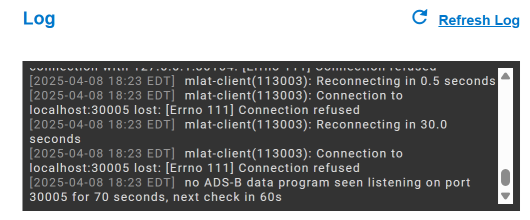
sdrOpen() failed.

Seem to be that your dongle isn’t recognized by readsb or cannot be accessed.
Any other program accessing the dongle at the same time?

Or the dongle is faulty

You can try to use rtl_test as well and see if that finds rtlsdr devices.
Or lsusb.

rtl_test
lsusb

Very likely they will show similar stuff to readsb.

The start of the log has location, should have probably mentioned that.