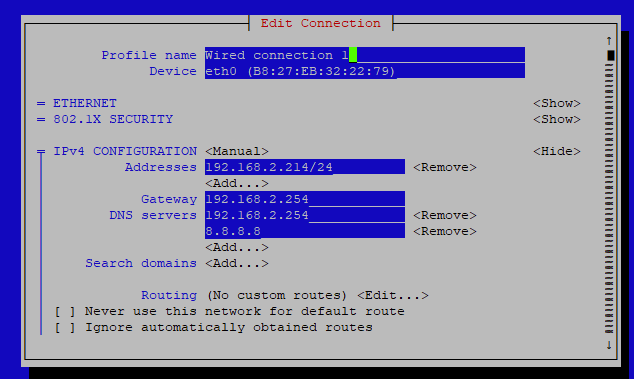
Now that the SSID/password issue seems to have been fixed, can someone offer some assistance on this issue. I use STATIC IP addresses for many of my devices. My feeder has successfully used a static wireless IP for all previous versions of PiAware (including 10.1!). Now, the wireless-type static directive seems to be ignored.
The -config.txt file contents are:
This file configures the Piaware sdcard image
configuration. Whenever the system boots, this
file is read and its contents are used to
configure the system.
Lines beginning with a ‘#’ are comment lines
and are ignored. Blank lines are also ignored.
All other lines specify configuration settings.
For simplicity, this file only shows the most common options.
For a complete list of options, see
PiAware - Advanced Configuration Settings - FlightAware
NETWORK CONFIGURATION
By default, PiAware will use DHCP when connecting to your network.
For other configurations, see the Advanced Configuration page
linked at the top of this file.
Should piaware use the wired ethernet port
for network access?
wired-network no
Should piaware use a wifi adaptor for network access?
If you are using a Pi 3, this will use the built-in wifi.
Otherwise, you will need to attach a supported USB wifi adaptor.
wireless-network yes
Wifi SSID and password.
This should be changed to match your wireless
network SSID and, for networks that require
a passphrase, the passphrase.
If your SSID or password contains characters other than
numbers and letters, such as the # character or whitespace,
you should enclose the value in quotation marks. For example,
“pass word” or “pass#word”.
To include quotation marks (") in a quoted value, use "
To include a backslash () in a quoted value, use \
wireless-ssid Xxxxxxxxxx
wireless-password xxxxxxxxxxxxxxxxxxxxxxxxxx
static IP configuration
wireless-type static
wireless-address 192.168.1.105
wireless-netmask 255.255.255.0
wireless-broadcast 192.168.1.255
wireless-gateway 192.168.1.1
wireless-nameservers 192.168.1.1
1090MHZ RECEIVER CONFIGURATION
For a complete list of receiver types and their associated settings,
see the Advanced Configuration page linked at the top of this file.
For a receiver type of ‘rtlsdr’, this setting controls the dongle gain.
Use “max” for maximum gain. Other values are interpreted as a gain in dB.
rtlsdr-gain max
OTHER CONFIGURATION
Should automatic system updates (initiated by FlightAware) be allowed?
allow-auto-updates yes
Should manual system updates (initiated by you from the website control
panel) be allowed?
allow-manual-updates yes
Should PiAware enable multilateration where possible?
You may need to disable this if multilateration overloads your receiver.
allow-mlat yes
Should PiAware enable reception of Mode A/C messages when requested?
You may need to disable this if processing Mode A/C overloads your receiver.
allow-modeac yes
Additional settings can be added below.
feeder-id
I request wireless static ip of 105. Piaware ignores that and instead reverts to DHCP and assignes the next random IP available.
Anyone know why?