No i was in the samples directory. ~/code/samples/ because i recorded there. The ~/code/ directory contains stream1090 which is then in ~/code/stream1090/ and at ~/code/python/bin/python the local installation.
The tab key will help you there.

No i was in the samples directory. ~/code/samples/ because i recorded there. The ~/code/ directory contains stream1090 which is then in ~/code/stream1090/ and at ~/code/python/bin/python the local installation.
The tab key will help you there.
Ok, I usually just create the samples.raw file in my home directory. I guess there’s a lot of different ways to skin a cat.
There will be plenty of people who do not have your equipment @JRG1956 @jimMerk2. I ran some tests on my old samples and that is more in the + 20%
I think there might be some variability between samples related to traffic density too.
I recorded a “real” 30 minute sample (thanks for the timeout command - and I did notice it was slightly less than 30 minutes of samples). On the new RTL-SDR sample I got the following total message counts:
stream1090 without -q 538058
stream1090 -q 567020 (+5.3%)
readsb 562973 total usable messages (+4.6% relative to without -q)
I need to look at the DF breakdowns to try to understand why readsb did so much better with this sample than the earlier one. Real life has got in the way, so that might not be until tomorrow my time. I will also capture some other samples to see what that suggests.
You had 20% improvement with the -q option?
From a 2 minute sample run about 2 hours ago:
With -q : Messages Total 101359
Without -q : Messages Total 91762
Still a 10 % improvement.
Compared to readsb. When you compare things, you should also check your gain setting. It may happen that the best gain for readsb and stream1090 is not the same.
Edit: Here is an examle for the numbers of one of my samples recorded without any LNA, filter, not even a coax cable. Just dongle + antenna, gain setting to manual max (Noolec v5 @ 49.6 gain)
spider:

readsb           116 307
stream1090       123 008
stream1090 -q    140 948
Edit 2: Another sample, same setup except that the antenna is not a ground plane, but a yagi with about a gain of 9. The locations were completely different and also the noise situation. The yagi sample noise situation was bad.
yagi:

readsb           380 165
stream1090       396 841
stream1090 -q    477 625
Here are some results for a 10 minute sample. under a little different conditions (raining here, so no General Aviation).
Sample collection:
pi@raspberrypi:~ $ timeout 10m rtl_sdr -d 00001090 -f 1090e6 -s 2.4e6 -g 20 samples.raw
File size:
pi@raspberrypi:~ $ ls -l samples.raw
-rw-r--r-- 1 pi pi 2834825216 Feb 16 12:42 samples.raw
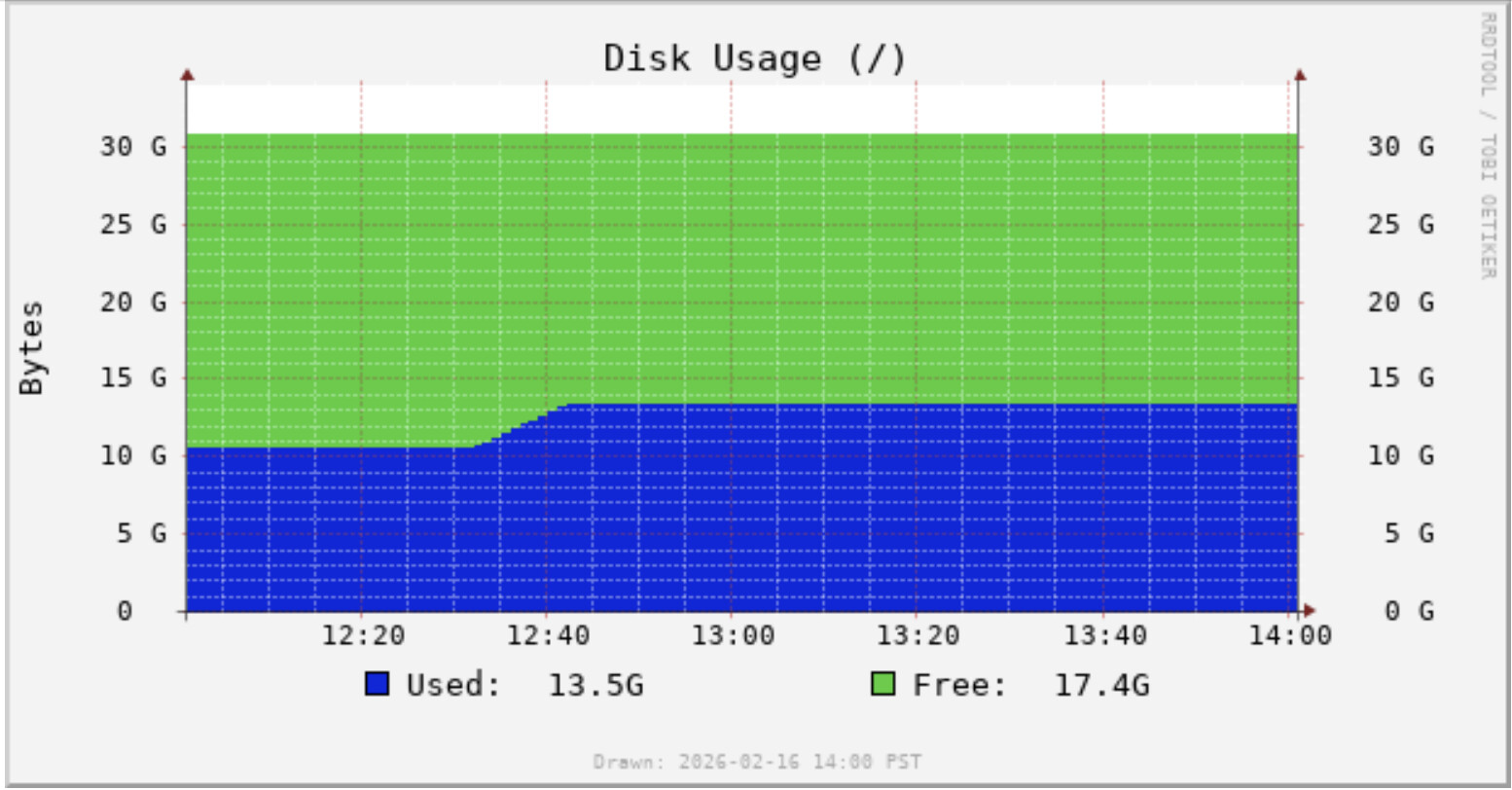
2.8 GBytes file. So now I do see that on graphs1090.
Results with -q option:
pi@raspberrypi:~/stream1090 $ sudo cat /home/pi/samples.raw | ./build/stream1090 -s 2.4 -q -v  > /dev/null
[Stream1090] build 260211
[Stream1090] Input sampling speed: 2.4 MHz
[Stream1090] Output sampling speed: 8 MHz
[Stream1090] Input to output ratio: 3:10
[Stream1090] Number of streams: 8
[Stream1090] Size of input buffer: 3072 samples
[Stream1090] Size of sample buffer: 10240 samples
[IQLowPass] tap count: 15 symmetric: 1
[IQLowPass] taps: (-0.0023765, -0.00755565, 0.0437869, 0.00686786, 0.0603009, 0.0839379, 0.0681459, 0.493786, 0.0681459, 0.0839379, 0.0603009, 0.00686786, 0.0437869, -0.00755565, -0.0023765)
[Stream1090] Sync Stdin Mode
[Stream1090] Reading from stdin
-------------------------------------------------------------
|     Type |  #Msgs |  %Total |    Dups |   Fixed |   Msg/s |
-------------------------------------------------------------
|    ADS-B | 171054 |   34.3% |   20.2% |     29% |   289.6 |
|   Comm-B |    597 |    0.1% |      0% |         |   1.011 |
|     ACAS | 176379 |   35.3% |      0% |         |   298.6 |
|     Surv |  37280 |    7.5% |      0% |         |   63.12 |
|    DF-11 | 113798 |   22.8% |   26.8% |   36.4% |   192.7 |
-------------------------------------------------------------
|  112-bit | 179070 |   35.9% |   19.5% |     28% |   303.2 |
|   56-bit | 320038 |   64.1% |   11.5% |   15.7% |   541.9 |
-------------------------------------------------------------
|    Total | 499108 |    100% |   14.5% |   20.4% |   845.1 |
-------------------------------------------------------------
(Max. msgs/s 845.1)
Messages Total 499108
DF 0 : 168960
DF 4 : 36252
DF 5 : 1028
DF 11 : 113798
DF 16 : 7419
DF 17 : 169800
DF 18 : 1241
DF 19 : 13
DF 20 : 538
DF 21 : 59
590589440 iterations @1MHz
[Stream1090] Finished. (196.699s)
Without -q option
pi@raspberrypi:~/stream1090 $ sudo cat /home/pi/samples.raw | ./build/stream1090 -s 2.4 -v  > /dev/null
[Stream1090] build 260211
[Stream1090] Input sampling speed: 2.4 MHz
[Stream1090] Output sampling speed: 8 MHz
[Stream1090] Input to output ratio: 3:10
[Stream1090] Number of streams: 8
[Stream1090] Size of input buffer: 3072 samples
[Stream1090] Size of sample buffer: 10240 samples

[Stream1090] Sync Stdin Mode
[Stream1090] Reading from stdin
-------------------------------------------------------------
|     Type |  #Msgs |  %Total |    Dups |   Fixed |   Msg/s |
-------------------------------------------------------------
|    ADS-B | 154789 |   34.2% |   19.6% |   29.8% |   262.1 |
|   Comm-B |    553 |    0.1% |      0% |         |  0.9364 |
|     ACAS | 158746 |   35.1% |      0% |         |   268.8 |
|     Surv |  34054 |    7.5% |      0% |         |   57.66 |
|    DF-11 | 104608 |   23.1% |   23.6% |   36.5% |   177.1 |
-------------------------------------------------------------
|  112-bit | 161905 |   35.8% |   18.9% |   28.7% |   274.1 |
|   56-bit | 290845 |   64.2% |     10% |   15.5% |   492.5 |
-------------------------------------------------------------
|    Total | 452750 |    100% |   13.4% |   20.5% |   766.6 |
-------------------------------------------------------------
(Max. msgs/s 766.6)
Messages Total 452750
DF 0 : 152183
DF 4 : 33106
DF 5 : 948
DF 11 : 104608
DF 16 : 6563
DF 17 : 153788
DF 18 : 987
DF 19 : 14
DF 20 : 497
DF 21 : 56
590589440 iterations @1MHz
[Stream1090] Finished. (147.088s)
Still, about 10% improvement with -q option.
Here are summaries comparing stream1090 -q , stream1090 and readsb on four different samples. All of the samples were recorded with a Nooelec v5. The following command is representative of the main parameters used:
timeout 30m rtl_sdr -p -4 -g 49.6 -f 1090000000 -s 2400000 - > rtl_sample20260217b-2.4M_30m.raw
So for my setup, there is a bit of variability between samples. stream1090 -q is better with 112bit message decoding, but readsb has an overall advantage with 56 bit.
This still isn’t a true “apples with apples” comparison because readsb rejects messages based on implausible speeds and positions. You can see that here for Sample 4
Statistics: Tue Feb 17 10:15:29 2026 AEDT - Tue Feb 17 10:45:25 2026 AEDT
Local receiver:
  4313579520 samples processed
  0 samples dropped
  65536 samples lost
  0 Mode A/C messages received
  32799270 Mode-S message preambles received
    22185396 with bad message format or invalid CRC
    10020928 with unrecognized ICAO address
    558797 accepted with correct CRC
    34149 accepted with 1-bit error repaired
  -11.9 dBFS mean signal power
  -1.3 dBFS peak signal power
  13536 messages with signal power above -3dBFS

 Phase stats
         3        4        5        6        7
  18103029 18103029 17887433 17887433 12118946
         4        5        6        7        8
    106512   116156   120886   119982   129410

592946 total usable messages
5 surface position messages received
120328 airborne position messages received
119681 global CPR attempts with valid positions
185 global CPR attempts with bad data
  0 global CPR attempts that failed the range check
  185 global CPR attempts that failed the speed check
38 global CPR attempts with insufficient data
277 local CPR attempts with valid positions
  277 aircraft-relative positions
  0 receiver-relative positions
190 local CPR attempts that did not produce useful positions
  0 local CPR attempts that failed the range check
  0 local CPR attempts that failed the speed check
0 CPR messages that look like transponder failures filtered
0 non-ES altitude messages from ES-equipped aircraft ignored
135 unique aircraft tracks
27 aircraft tracks where only one message was seen
CPU load: 4.8%
Some of the stream1090 messages might get rejected when fed into readsb.
Yeah, I was thinking that might be the case. The output from readsb is similar to the output from dump1090-fa --stats, except readsb has something additional called Phase stats. Not sure what that is.
Edit: I could try dump1090-fa --stats on those sample files I posted above, but I don’t know a way of suppressing the messages output. The messages output would be millions of output lines. Apparently with readsb there’s a way of just printing the stats output at the end?
Edit2:
Ah, there is a way of suppressing the messages output from dump1090-fa, the --show-only option.
Use any hex address for --show-only:
dump1090-fa --stats --show-only aaaaaa --ifile samples.raw
Statistics: Mon Feb 16 23:29:32 2026 PST - Mon Feb 16 23:30:30 2026 PST
Local receiver:
    1417412608 samples processed
             0 samples dropped
             0 Mode A/C messages received
      11514213 Mode-S message preambles received
        45517383 with bad message format or invalid CRC
         4562683 with unrecognized ICAO address
          402740 accepted with correct CRC
  ----- dBFS noise power
  -10.9 dBFS mean signal power
   -0.8 dBFS peak signal power
  18686 messages with signal power above -3dBFS
Decoder:
    402740 total usable messages
      145187 DF0 messages
       31614 DF4 messages
        1154 DF5 messages
       87361 DF11 messages
        6341 DF16 messages
      129744 DF17 messages
         760 DF18 messages
         465 DF20 messages
         114 DF21 messages
       154 surface position messages received
     46559 airborne position messages received
     44069 global CPR attempts with valid positions
       631 global CPR attempts with bad data
           0 global CPR attempts that failed the range check
         631 global CPR attempts that failed the speed check
       531 global CPR attempts with insufficient data
        38 local CPR attempts with valid positions
           0 aircraft-relative positions
           0 receiver-relative positions
      1639 local CPR attempts that did not produce useful positions
           1 local CPR attempts that failed the range check
          13 local CPR attempts that failed the speed check
         0 CPR messages that look like transponder failures filtered
         0 non-ES altitude messages from ES-equipped aircraft ignored
       153 unique aircraft tracks
         0 aircraft tracks where only one message was seen
         0 aircraft tracks which were not marked reliable
CPU load:  64.1%
  28600 ms for demodulation
   8375 ms for reading from USB
     28 ms for network input and background tasks
Mon Feb 16 23:30:30 2026 PST  Abnormal exit.
Summay:
Stream1090 with -q option 499108
Stream1090 without -q option 452750
dump1090-fa 402740
About 20% improvement for stream1090 compared with dump1090-fa. Impressive.
Edit3:
Did another run with --fix option in dump1090-fa to fix 1-bit CRC errors:
dump1090-fa --fix --stats --show-only aaaaaa --ifile samples.raw
422154 total usable messages
Still a 15% improvement with stream1090 compared to dump1090-fa.
Basic 2.56 Msps support for rtlsdr is in the repo
[Stream1090] build 260217
[Stream1090] Input sampling speed: 2.56 MHz
[Stream1090] Output sampling speed: 8 MHz
[Stream1090] Input to output ratio: 8:25
[Stream1090] Number of streams: 8
[Stream1090] Size of input buffer: 8192 samples
[Stream1090] Size of sample buffer: 25600 samples
Edit: the -q option uses for now the 2.4 MHz filter. I am working on it.
Edit2: the current filter works quite well. It will take some time to come up with something better. I had no sample data for 2.56 and today is a very bad day for recording. There is some larger military activity here and that ruins the recordings.
But if you want to give it a try, just replace -s 2.4 with -s 2.56 or if you are using rtl_sdr replace -s 2400000 with -s 2560000.
So i grabbed a few recordings. They are not very representative. Some classic yagi. Some loop-quad-some-shape-inbetween-let’s say round rectangle yagi. I am running this now through the optimizer. I had some previous run. And it was good.
However, i changed now the optimizer to be a bit more fine grained about how to guess a good filter. Before it was 5 gain points, now it is 9.
Edit: Let me explain the problem. I cannot record crazy sample set right now. I am neither on vacation on the sea. Nor does the weather permit some fancy place to setup. On top of this comes that the shitty looking lunchbox
is a beast and does not reflect in any way the average antenna. By design it is very narrow bandwidth it has some stupid gain (the loop as driven element offers more than a dipole). It has been optimized by the computer to fit in the box and fine tuned with a VNA for the refraction in the plastic. I will record hopefully some more samples in the next days.
Edit2: Yes, the front element is too low. It has been measured and lifted.
I used the above antenna now for a new seed for the filters. Once something has been found, i continued with a larger standard yagi sample to find something better. That is now the default in the repo.
Let me know if that works for you.
I decided otherwise and captured some samples using the good ol one ground plane, which captures also plenty of everything you do not want.
It is slowly getting there. The filter optimizer in the repo is not up-to-date yet. I increased the control gain points.
The blue is with the old control point system. The instances with _new at the end already uses the new version with more gain control points. new5 seems to be slightly better than new4.
What kind of directivity does that antenna you made have?
The weather here is still rainy and traffic is way down, so haven’t tried the 2.56 MHz sample rate yet. Even when I do try it though, I won’t be able to compare it to anything. AFAIK, dump1090-fa as a demodulator only runs at 2.4 MHz sample rate.
So i decided that i have to write a tutorial on this whole automatic filter design business and at the same time overhaul the optimizer. The IQ filter stuff works good for higher MSPS. For rtlsdr based things this is a different story.
Different story? Here is a case study. I have an rtlsdr data set that i recorded near the nice village of Lauwersoog in the Netherlands.
The setup is very basic, the location is directly next to the flood gates which are located west of the village.
Classic fence pole setup (view to the west)
Antenna is a classic 9 db-ish 4 element yagi directly mounted on a noolec v5. The yagi is pointed towards Denmark. It does its job by maxing out the range.
Rings are 50 km (outer ring is the 400 km mark)
So what is now the thing with filtering?
This is the result of stream1090 without any filtering:
cat ../../samples/nl_0.raw | ./stream1090 -s 2.4  > /dev/null
[Stream1090] build 260217
[Stream1090] Input sampling speed: 2.4 MHz
[Stream1090] Output sampling speed: 8 MHz
[Stream1090] Input to output ratio: 3:10
[Stream1090] Number of streams: 8
[Stream1090] Size of input buffer: 3072 samples
[Stream1090] Size of sample buffer: 10240 samples
-------------------------------------------------------------
|     Type |  #Msgs |  %Total |    Dups |   Fixed |   Msg/s |
-------------------------------------------------------------
|    ADS-B |  69048 |   17.4% |   21.7% |     39% |   115.2 |
|   Comm-B |  95417 |     24% |      0% |         |   159.2 |
|     ACAS |  28659 |    7.2% |      0% |         |   47.83 |
|     Surv |  50974 |   12.8% |      0% |         |   85.07 |
|    DF-11 | 152743 |   38.5% |   24.2% |     19% |   254.9 |
-------------------------------------------------------------
|  112-bit | 166180 |   41.9% |   10.3% |   18.6% |   277.3 |
|   56-bit | 230661 |   58.1% |   17.5% |   13.7% |   384.9 |
-------------------------------------------------------------
|    Total | 396841 |    100% |   14.6% |   15.6% |   662.3 |
-------------------------------------------------------------
(Max. msgs/s 662.3)
Messages Total 396841
DF 0 : 26944
DF 4 : 44052
DF 5 : 6922
DF 11 : 152743
DF 16 : 1715
DF 17 : 69031
DF 18 : 12
DF 19 : 5
DF 20 : 72949
DF 21 : 22468
599217920 iterations @1MHz
If you now train a filter directly for this sample set. (parts of it, it is quite big)
cat ../../samples/nl_0.raw | ./stream1090 -s 2.4 -f ../custom_filters/2_4_TO_8_0_NL.txt > /dev/null
[Stream1090] build 260217
[Stream1090] Input sampling speed: 2.4 MHz
[Stream1090] Output sampling speed: 8 MHz
[Stream1090] Input to output ratio: 3:10
[Stream1090] Number of streams: 8
[Stream1090] Size of input buffer: 3072 samples
[Stream1090] Size of sample buffer: 10240 samples
-------------------------------------------------------------
|     Type |  #Msgs |  %Total |    Dups |   Fixed |   Msg/s |
-------------------------------------------------------------
|    ADS-B |  83581 |   17.3% |   22.5% |   37.4% |   139.5 |
|   Comm-B | 121005 |     25% |      0% |         |   201.9 |
|     ACAS |  37081 |    7.7% |      0% |         |   61.88 |
|     Surv |  61903 |   12.8% |      0% |         |   103.3 |
|    DF-11 | 180091 |   37.2% |   25.9% |   18.8% |   300.5 |
-------------------------------------------------------------
|  112-bit | 206832 |   42.8% |   10.5% |   17.4% |   345.2 |
|   56-bit | 276829 |   57.2% |   18.5% |   13.5% |     462 |
-------------------------------------------------------------
|    Total | 483661 |    100% |   15.3% |   15.1% |   807.2 |
-------------------------------------------------------------
(Max. msgs/s 807.2)
Messages Total 483661
DF 0 : 34835
DF 4 : 53459
DF 5 : 8444
DF 11 : 180091
DF 16 : 2246
DF 17 : 83559
DF 18 : 11
DF 19 : 11
DF 20 : 92604
DF 21 : 28401
599217920 iterations @1MHz
I think we can agree that the filter “improves” things for rtlsdr devices. And not only by this nice little amount that squeezes the last msg/s out of the 6 & 10 Msps.
So i actually made this filter the default now for 2.4 Msps. The thing in the end is that the yagi is the antenna that makes no compromises. The lunch box above is more powerful in my personal setting. And has other advantages like no spider webs in the morning and you can mount an LNA directly to it.
However, for the yagi it is difficult to find a better one with 4 elements.
This is very hard to beat in practice.
I think it depends on your setup and ADS-B environment.
Here is a comparison of total messages for my four 2.4MSPS samples with - q
               Old Filter     Latest Filter      Change
Sample 1        221,685         222,933           +0.6%
Sample 2        567,020         563,735           -0.6%
Sample 3        326,841         326,372           -0.1%
Sample 4        598,635         600,341           +0.3%
So not much difference for me from the previously reported 2.7% to 8.5% gain from using the old filter relative to no filter.
I’ve also compared the difference with a 30 minute 2.56 MSPS sample running with -q yielded 4.6% more messages than no filter.
Can you check where your ads-b messages are coming from?
You seem to like tables. So there is a script for you in other_utils folder named plane_msg_stats.py to generate CSV output which looks like this:
icao, DF-0, DF-4, DF-5, DF-11, DF-16, DF-17, DF-18, DF-19, DF-20, DF-21
4856c9, 0, 69, 1, 80, 0, 170, 0, 0, 46, 2
502ce7, 28, 76, 8, 145, 0, 80, 0, 0, 96, 36
4aca8a, 50, 124, 20, 220, 1, 142, 0, 0, 182, 46
461fa7, 12, 70, 18, 198, 5, 222, 0, 0, 249, 96
47ba0d, 12, 111, 23, 88, 4, 200, 0, 0, 261, 140
4ca7b6, 24, 87, 14, 359, 0, 170, 0, 0, 169, 30
...
It will count the DF type per plane.
You will need to install the rs1090 module via pip. Then you just pipe in the hex messages.
Either from a file or just directly and dump the results in a file.
cat sample.raw | stream1090 -s 2.4 -q | python plane_msg_stats.py > output.csv