It is a new demodulator for Mode-S messages. It takes a different approach to demodulation by framing the messages based on their CRC-sum. The idea is to throw a bit more CPU at the problem of fishing for messages. It is in general competitive with stuff that is around. -h gives you some more options in case you own an airspy. Feedback is very important to me. Thank you in advance.
NOTE:
I don’t have readsb installed, but have dump1090-fa installed. I used it.
In file /etc/default/dump1090-fa:
(1) changed RECEIVER=rtlsdr to RECEIVER=none, to run it in net-only mode.
(2) Set NET_RAW_INPUT_PORTS= to NET_RAW_INPUT_PORTS=30001
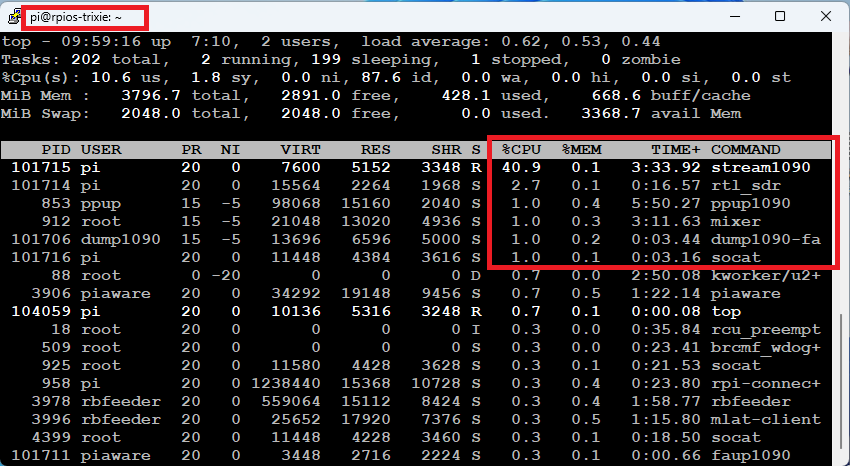
Seems you are running it via rtl_sdr, very nice. And i am happy that this actually works with that cpu load on a rb 4. I had concerns because of the exeessive use of 64 bit in the code.
By way of comparison here’s what I’m currently getting with airspy_adsb:
with this CPU usage:
That’s a pretty impressive result for an experimental decoder to be on par with airspy_adsb which has had a lot of optimisation done, especially considering how comparatively little cpu it’s using.
Also, airspy_adsb uses a sample rate of 12MHz or 20Mhz. The above is with it running at 20MHz.
Sorry for my late reply. Make sure that your gain settings are correct. So what you can do to be safe, set the -g option of rtl_sdr to 0 which will turn on auto gain. Setting the gain to max like i did in the example works fine in my case. Auto gain of rtl_sdr is not perfect, but it should get you somewhat reasonable results.
Thanks, I will set gain to zero to activate auto-gain.
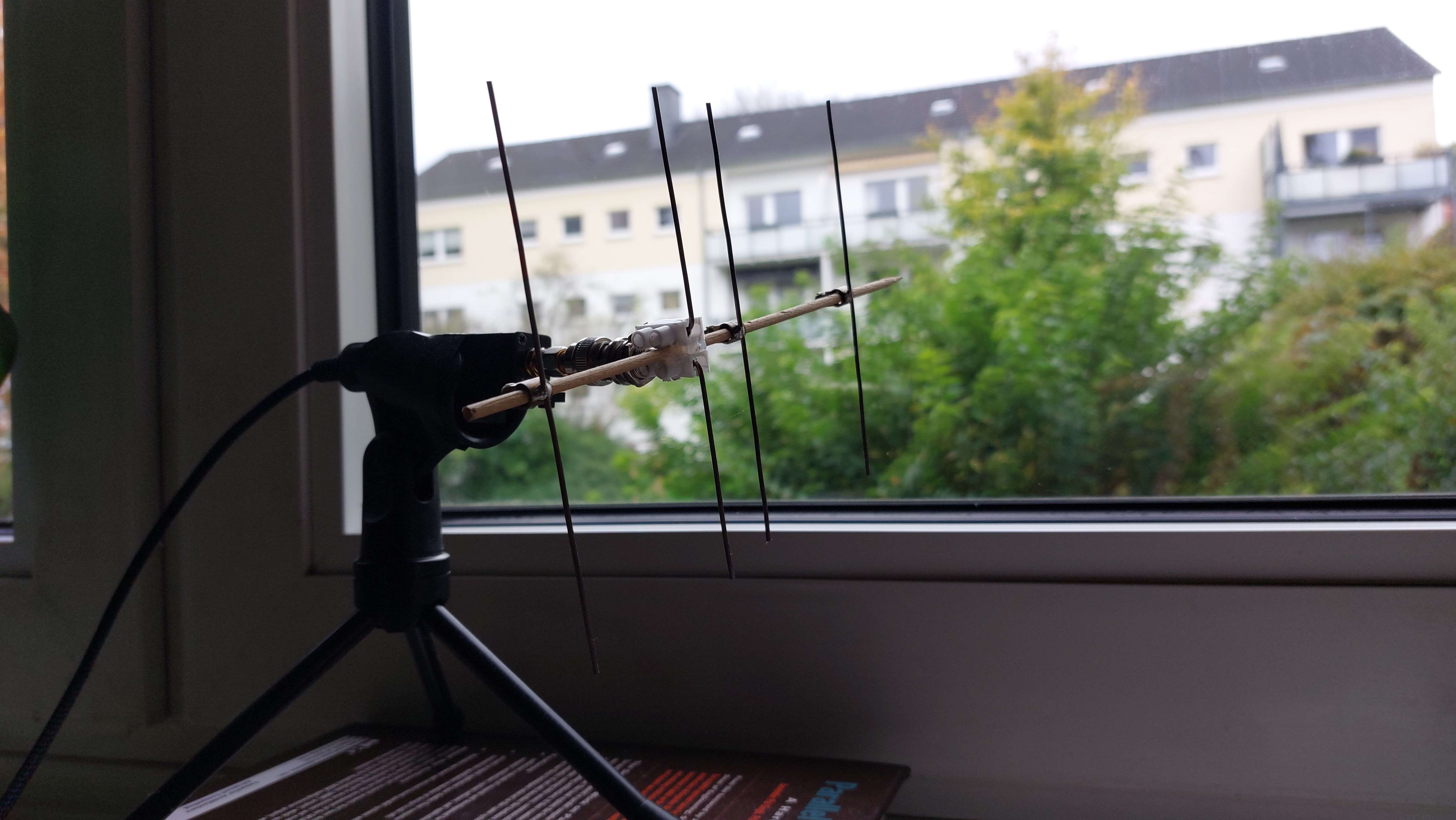
However I dont expect to get much improvement as limitation is my my test setup, which is an indoor whip antenna plus a generic DVB-T connected to RPi Model 4. Please see photo below.
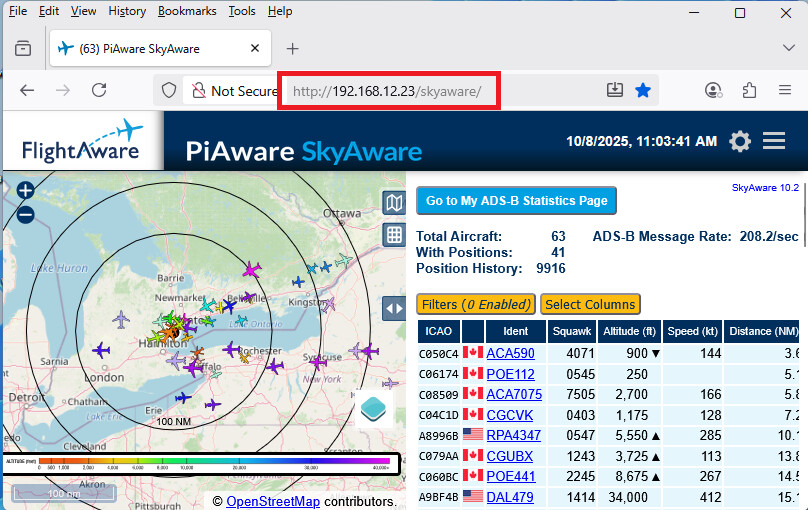
OK, installed stream1090 on another RPi Model 4 which has a better antenna, at a better location (but still indoord, as I cannot install outdoor antennas), and Flightaware ProStick Plus (blue) with FA 1090 Filter.
Thank you very much for your very detailed feedback. This is good news. So i am always happy about sample data. Currently, the focus is on preparing a proper sample set and a corresponding setup, so i can tweak the implementation.
i just wanted to give a quick update, because there has been some silence on my side. There are some things going on behind the curtain. I did not expect that my stuff actually is really that competitive. So let me explain a bit what is currently going on here:
I am currently writing a longer document about how this thing works at all and what the concept is. This also provides some reflection about decisions that i made in the design (good or bad).
I have to build some statistics framework for certain things that come out of stream1090. This does not only include which message type, but also how many messages got fixed by operation X or what is a good upsampling function.
Overall design of the pipeline. I am from academia. While i spent most of my time there as a theoretical computer scientist, my university education was more low-level software engineering oriented. There are some flaws that have to be ironed out to get stuff more cache aligned and in the end hopefully faster.
I wonder whether there is scope for a decoder which makes use of both demodulating techniques, and combining the output. It would be interesting to see if there are certain conditions which one technique is better at recovering messages from than the other.
stream1090 does not do anything fancy. It reverses/inverts the approach. Instead of looking for a message, its main job is to discard messages. In your airspy setup it will internally clock up to 12 Mhz. It will then inspect 12mio long messages and 12mio short messages per second based on the CRC and transponder code. It is a sieve after supersampling the signal.
I changed the plan (or put it on hold). The default output (AVR as before) of the repo version comes now with an MLAT timestamp for those of you who are interested.
Earlier this week (2 days ago), i updated the repo. Please do not get confused about “fixed a bug for MLAT ..”. Preceding that push was an important update in which i changed the transponder address handling logic. Update to that version (More range, less CPU). It is part 1/2 of some big changes.
I’ve been playing with the latest version and confirm that I get MLAT positions while feeding Flightaware. This is on my test system which comprises a 1GB RasPi4 running trixie fed from an Airspy R2.
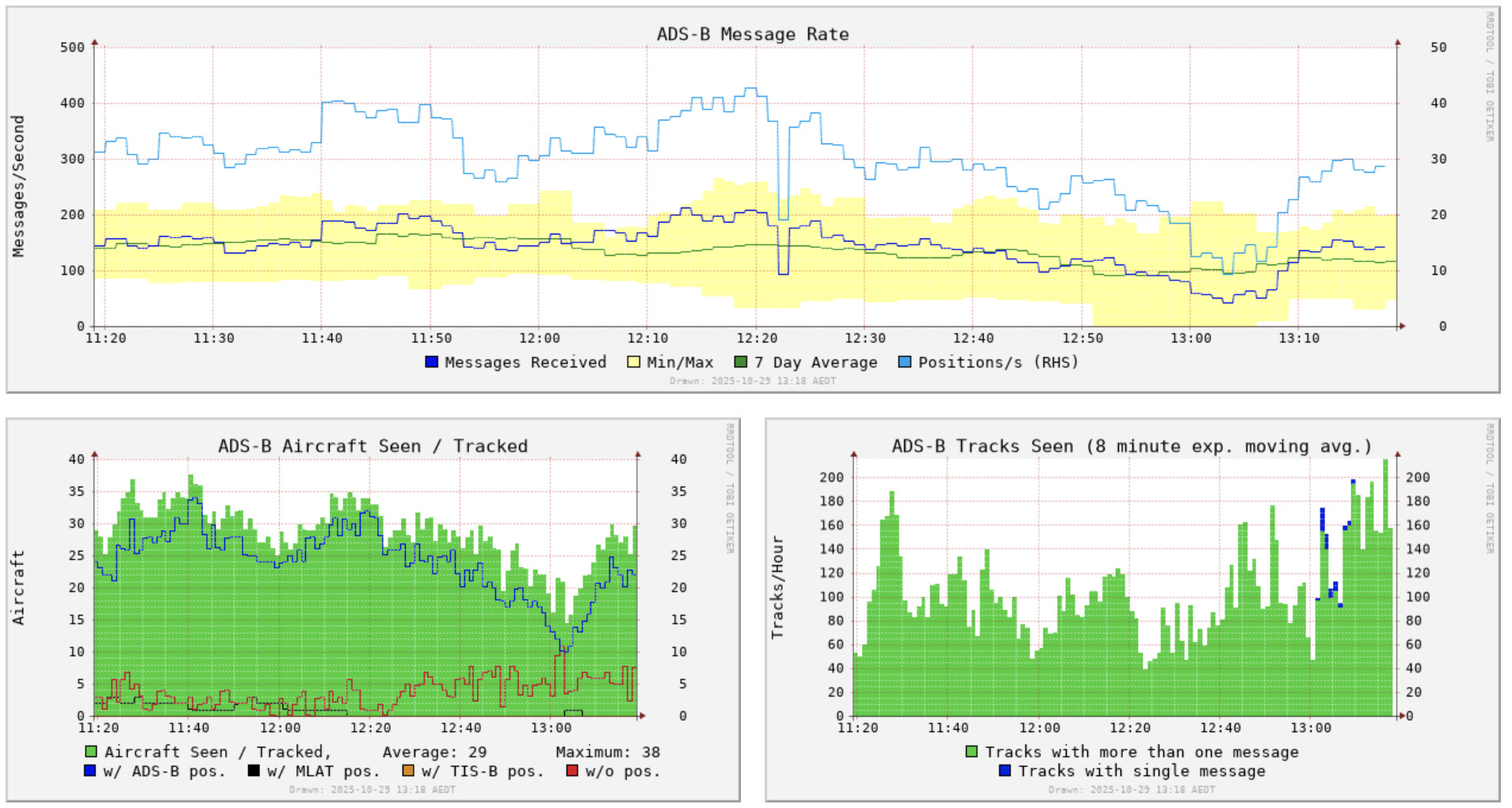
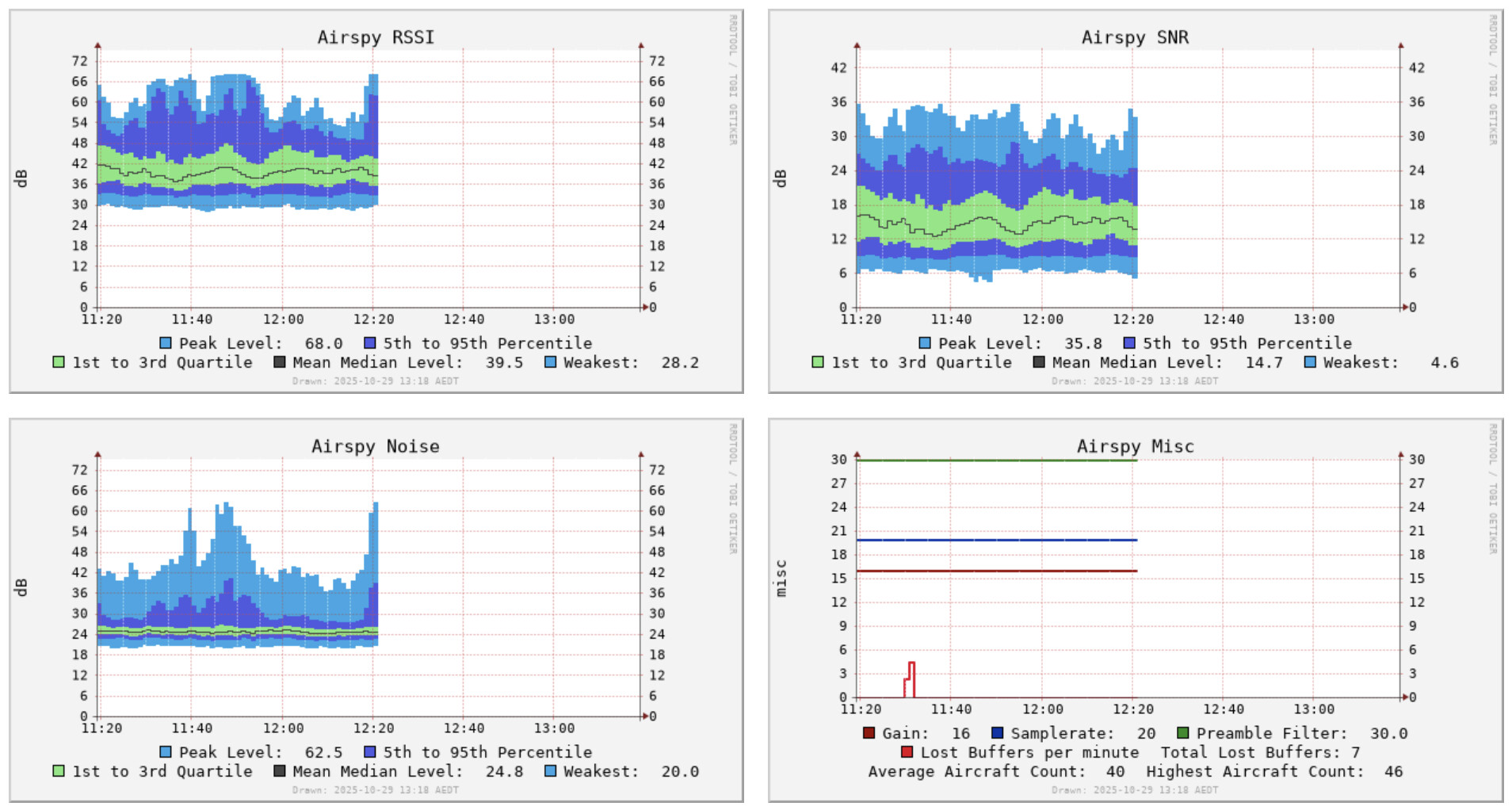
The following charts show a two hour window swapping from airspy_adsb to stream1090 at 12:22 local time.
The number of aircraft in the receiver’s field of view is quite patchy, so it is hard to express an opinion on stream1090’s performance. It seems to be slightly less than airspy_adsb, but still, as others have said, quite remarkable for such an early stage of development.
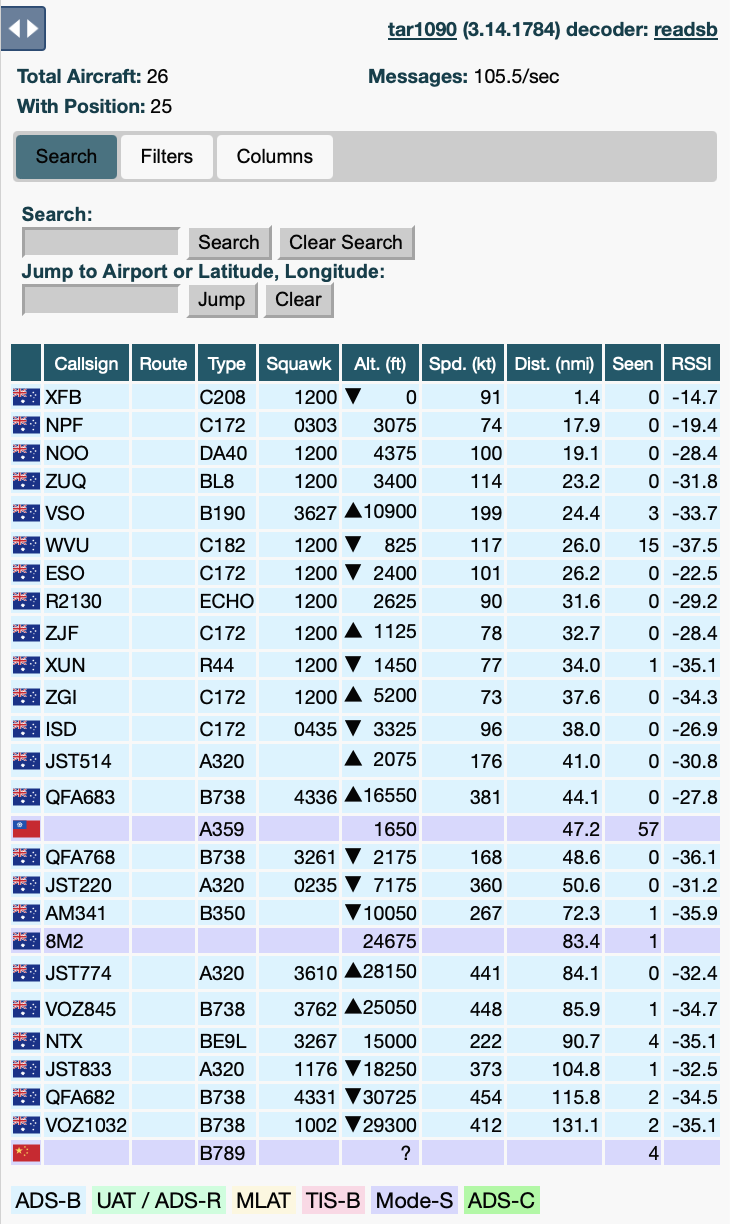
The following grabs from tar1090 are one minute apart - stream1090
This is great - thanks for sharing your work mgrone! Love the approach here.
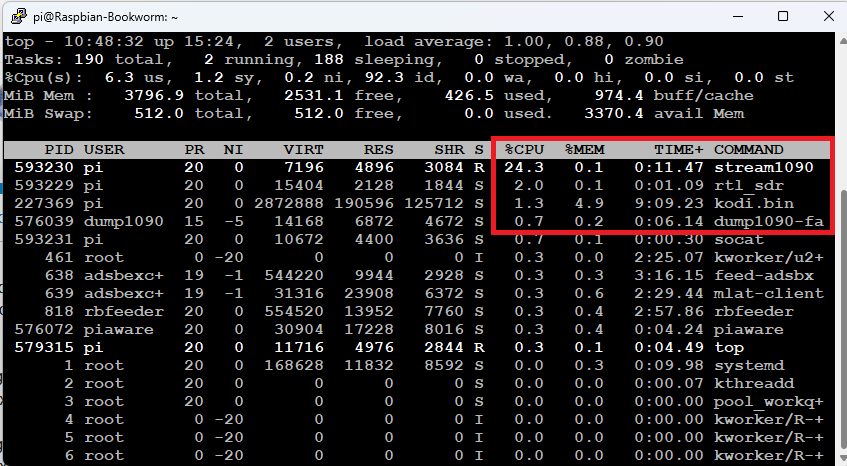
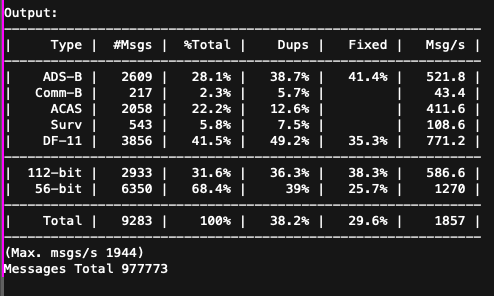
I finally had a chance to toy with this a bit, but I need to spend some more time with it later on. Just chiming into the conversation with an additional data point. Ran a quick test on my setup (Bookworm PC with Airspy R2) with the following results.
As others have mentioned, the performance is pretty close to airspy_adsb for the time that I tested it, maybe slightly lower. (Of which is incredible in itself!) Not sure if the delta is the 24 sample rate or not that I have used with great success for a few years, or if the airspy_rx command line needs tweaking, but will continue to play. Definitely seeing MLAT in FlightAware as well. Thanks again!
The second big update is in the repo. Besides some larger changes to the codebase, the build system was changed. Different sample rates have different executables now. Additionally, in the previous version there is a zombie plane bug (not a ghost plane bug, but some planes refused to die). This has been fixed.
Regarding sample rates:
You can go wild now and i do not take any responsibility. There is 6, 10, 12, 20 and 24 MHz available. Each can then either be passthrough (1 : 1) or with the -u flag (1 : 2) the internal speed will double. However, having an internal sample rate of 48 MHz is probably a bit crazy.
On some platforms there should also be some increase in performance.