
Well. you certainly wouldn’t want to use that!
Over 100dB loss at 162MHz and its about 25dB loss at its tuned frequency of about 145MHz.
I think there is something seriously wrong with the model.
2 Likes
A band pass filter (of this type) is really a combined high-pass and low-pass filters.
Such a narrow 3rd order pass-band can’t help but have a very high insertion loss.
A 1/4λ shorted stub has a relatively low Q but has the advantage it can be made from parts you probably already have on hand.
1 Like
Yes,you are right. I have redone it now. Please see screenshot below:
https://rf-tools.com/lc-filter/
CLICK ON SCREENSHOT TO SEE LARGER SIZE
CLICK AGAIN TO SEE FULL SIZE

1 Like
How to Uninstall AIS-catcher AND remove all its files
Note: As all the the files & folders of biast are located inside folder /usr/share/aiscatcher, it will also get removed when commands in STEP-2 are executed.
STEP-1: Stop & disable aiscatcher service, and remove aiscatcher service file.
sudo systemctl stop aiscatcher

sudo systemctl disable aiscatcher

sudo rm /lib/systemd/system/aiscatcher.service
STEP-2: Remove files and folders pertaining to AIS-catcher and Biast.
sudo rm -rf /usr/share/aiscatcher

sudo rm /usr/local/bin/AIS-catcher

sudo userdel aiscat
Hello, AIS newbie here
I want to share my docker-compose.yml, that may reduce a lot of config work.
You may need to prepare docker and docker-compose in advance, see link below
services:
  ais-catcher:
    container_name: ais-catcher
    devices:
      - "/dev/bus/usb:/dev/bus/usb"
    image: ghcr.io/jvde-github/ais-catcher:latest
    restart: always
    command: >
             -d 00000162
             -v 10
             -M DT
             -gr TUNER 32.8 RTLAGC on
             -o 4
             -s 2304k
             -p 2
             -u 127.0.0.1 10110
             -u 127.0.0.1 34995
             -u 5.9.207.224 120xx
             -u 109.200.19.151 4001
             -u 54.225.113.225 5322
             -u hub.shipxplorer.com 248xx
             -u 144.76.105.244 32xx


# external feeder
# -u 127.0.0.1 10110 local network
# -u 127.0.0.1 34995 sxfeeder
# -u 5.9.207.224 120xx marine traffic
# -u 109.200.19.151 4001 Ship Finder
# -u 54.225.113.225 5322 Pocket Mariner
# -u hub.shipxplorer.com 248xx shipxplorer
# -u 144.76.105.244 32xx AISHUB.NET
2 Likes
Hi all, after spend a crazy day, I found that a plain option like in Windows start.bat of AIS-catcher is best for me, forget all tweakers. Signal strength from -44 to -18, message rate also better.
services:
  ais-catcher:
    container_name: ais-catcher
    devices:
      - "/dev/bus/usb:/dev/bus/usb"
    image: ghcr.io/jvde-github/ais-catcher:latest
    restart: always
    command: >
             -d 00000162
             -v 10
             -M DT
             -o 4
             -u 127.0.0.1 10110
             -u 127.0.0.1 34995
             -u 5.9.207.224 120xx
             -u 109.200.19.151 4001
             -u 54.225.113.225 5322
             -u hub.shipxplorer.com 248xx
             -u 144.76.105.244 32xx
1 Like
The AIS-catcher developer recently posted info here on how to collect long range application messages (type 27). To try it out I used my Airspy HF+ Discovery & You Loop antenna on the same computer running my AIS collection and fired up a second instance of AIS-catcher. The capability works as advertised, though no earth shattering new data for my location. Just more position reports for a sub-set of vessels I normally see. I suppose I do get more fidelity for the vessels my receiver plots due to the increased position reports.
I did run a couple 10 minute tests with the RTL-SDR and that seemed to perform better just as I had experienced with 162 Mhz AIS. The HF+/AIS-catcher combo has limits on tuning (AGC only) and sample rate (768K max) not inherent to the RTL-SDR and likely a big part of the difference.
I will let it run for a while to see what value added it provides, though devoting the Airspy to it long-term is not in my plans. Depending on your location and available hardware it may be something to look at in improving your site’s performance.
Hi dvsvejk and all,
The Long Range message type 27 is definitely fun to play with, but it works best if you can keep them separate from your normal AIS traffic. When I was testing those, I used two copies of OpenCPN to be able to view the range and positions for the 4 channels.
Here is a good description of why you might want to track them separately. The post below explains and shows the different resolution of the LR type 27 messages.
AIS Type 27 Long Range coordinate resolution 0.1 nm
https://groups.io/g/shipplotter/message/23699
I spent a lot of time with type 27, but to be honest I am not decoding it now. For my area, it added little value. It was still fun to play with, and might offer significant benefits for some users that have more noise blocking the normal AIS channels.
Have fun,
-Dan
1 Like
Do all ships send out long-range AIS message’s or is it just the ones far off shore? Am only asking as I currently have 2 pis running AIS and would be interested to test.
Jonseyt23,
Not all ships send type 27. In my area, NW Florida along the IntraCoastal Waterway, it is some, but not all of the Type A ships. I have not noticed a Type B Long Range message, but the specification says it is possible.
For some areas that have “managed traffic”, the base stations can send out a message that then inhibits the type 27 messages from being sent. That then cuts down on the type 27 message traffic near to shore where it is really not needed.
In my area, the local base stations do not seem to send those messages, so the type 27 messages continue.
Type 27 is interesting to play with, and simple to try. It’s definitely worth having a look if you are interested.
Regards,
-Dan
Well I have just added the -c CD line to aiscatcher config file which pipes into ais Dispatcher, received 2 msgs, one marked type 27 the other marked invalid and on the log its saying invalid VDM channel field.
Hi,
I run multiple copies of AIS-catcher and each feeds a separate copy of AIS Dispatcher 1.5.1. For older programs like AIS Dispatcher (and many others), you will want to use the AIS-Catcher command option of “-c CD AB”. That will tune the CD channels, but then identify them as AB which the older software can handle.
Be especially careful with AIS Dispatcher, because it treats the “C” designated channel traffic differently, and also has an option in the “Misc” tab to “Don’t dispatch channel C”. From memory, I believe the AIS Dispatcher used to refer to what it called channel C as encrypted, but that is not correct for the Long Range channels C/D or 3/4 around 162.
Regards,
-Dan
Yeah I managed to get it working adding AB, wonder how far out you can get the long range MSGS.
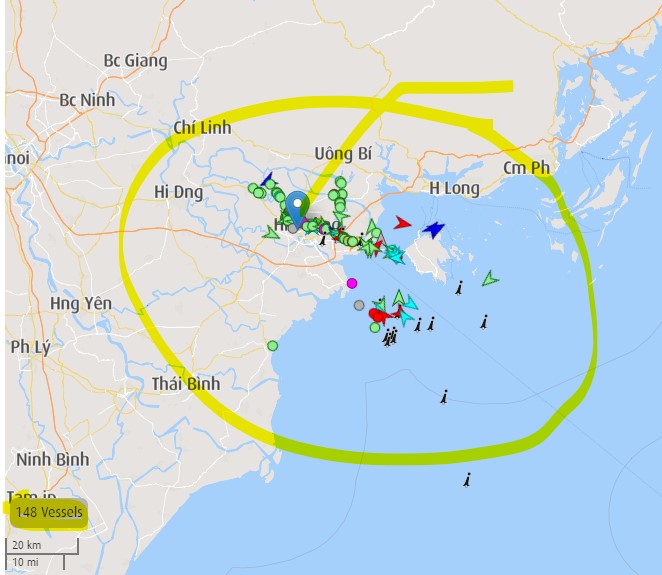
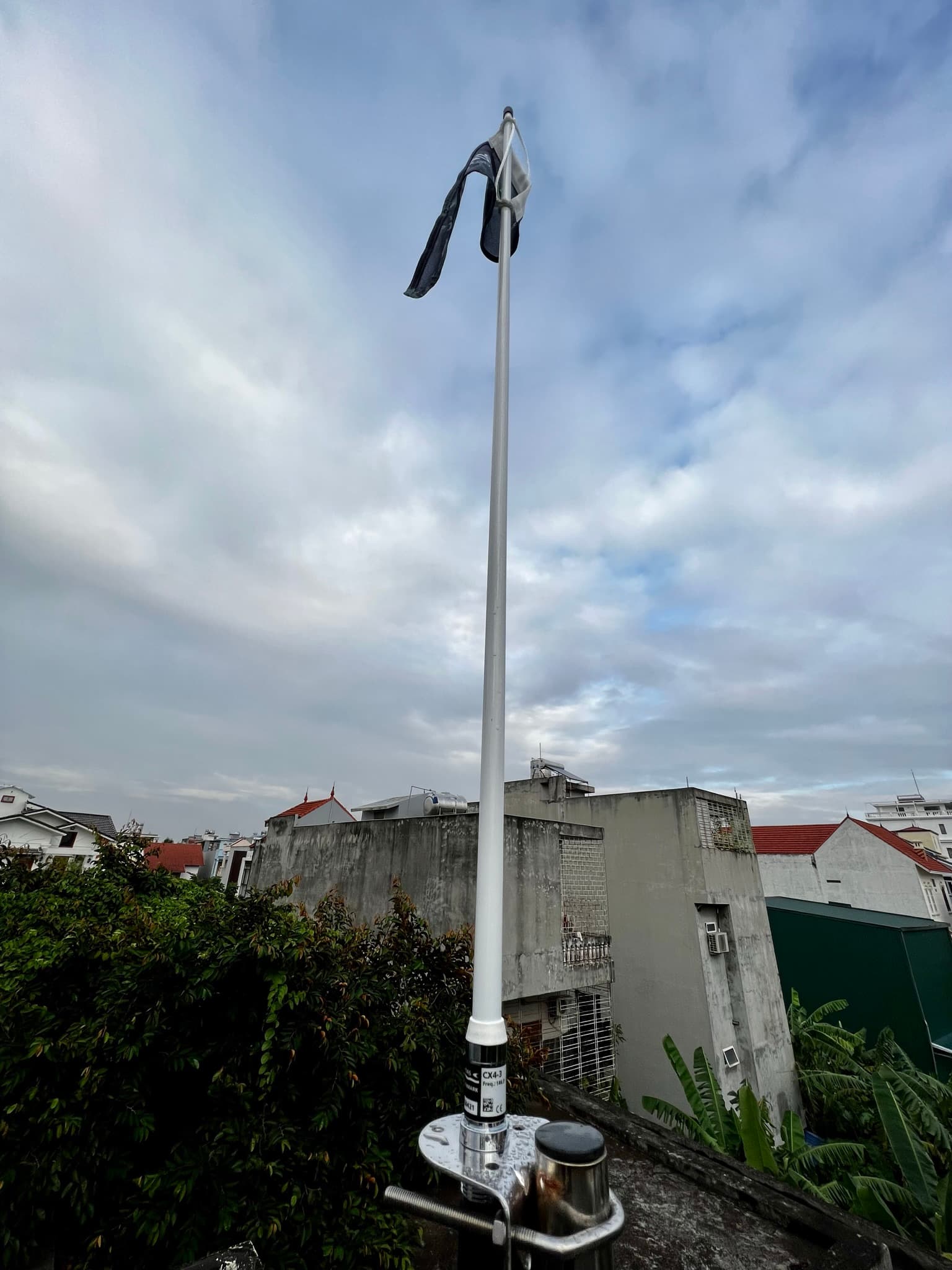
My new station, COMAR R400N + AC Antennas CX4-3 from https://www.fleetmon.com/
All headaches are gone!
3 Likes

1 Like
I’ve played around with AIS last Sunday, manage to get 3 messages in 2 hrs, decided that it isn’t worth the hassle 
Same happened with me till I applied ppm correction (38 in my case). After applying ppm correction, message rate became 1.2 msg/sec = 72 msg/min = 4320 msg/hr
Determining the PPM Correction (for use in file aisctacher.conf)

I’ll have a look this weekend, I used a RTL-SDR v3 Dongle and that shouldn’t have a correction but I’ll find out 
Yeah, about $660 vs < $100 
1 Like
If you find ppm correction is very low (say 2 or 3), then in that case another possibility is unsuitable antenna. Which antenna you are using? Where it has been placed?
Another possibilty is too much RF noise near 162 MHz. I had to make RTLAGC off and reduce TUNER gain to 38.6
-gr TUNER 38.6 RTLAGC off
