
No moving the BIASTEE above Tuner in the config file didn’t work, still need the restart command 
(1) Install dependencies
$ sudo apt update
$ sudo apt install git cmake build-essential libusb-1.0-0-dev
(2) Clone Source Code of Biast and Build It
## Enter AIS-catcher folder
cd /usr/share/aiscatcher

## Clone source-code of biast from Github and make executeable
$ sudo git clone https://github.com/rtlsdrblog/rtl_biast
$ cd rtl_biast
$ sudo mkdir build
$ cd build
$ sudo cmake .. -DDETACH_KERNEL_DRIVER=ON
$ sudo make
(3) Check:
$ ls /usr/share/aiscatcher/rtl_biast/build/src

CMakeFiles               librtlsdr.a     librtlsdr.so.0.5git
cmake_install.cmake      librtlsdr.so    Makefile
libconvenience_static.a  librtlsdr.so.0  rtl_biast
(4) Modify aiscatcher’s Service file
$ sudo nano /lib/systemd/system/aiscatcher.service

## Add following line ABOVE the line starting with ExecStart=
ExecStartPre=/usr/share/aiscatcher/rtl_biast/build/src/rtl_biast -b 1 d 0
NOTE: If you are using more than one dongle, run command rtl_test -t to determine device index of AIS Dongle (0, 1, 2,…). If the AIS dongle has index 1, then in above command change d 0 to d 1
BEFORE Adding New Line

AFTER Adding New Line

(5) Delete “BIAST on” from AIS-Catcher config

(6)
REBOOT PI
Thanks @abcd567 I may have to redo the card as I have installed rtl_tcp and the rtl BiasT (well part of it when trying earlier on) and I think this may be the cause of this error.
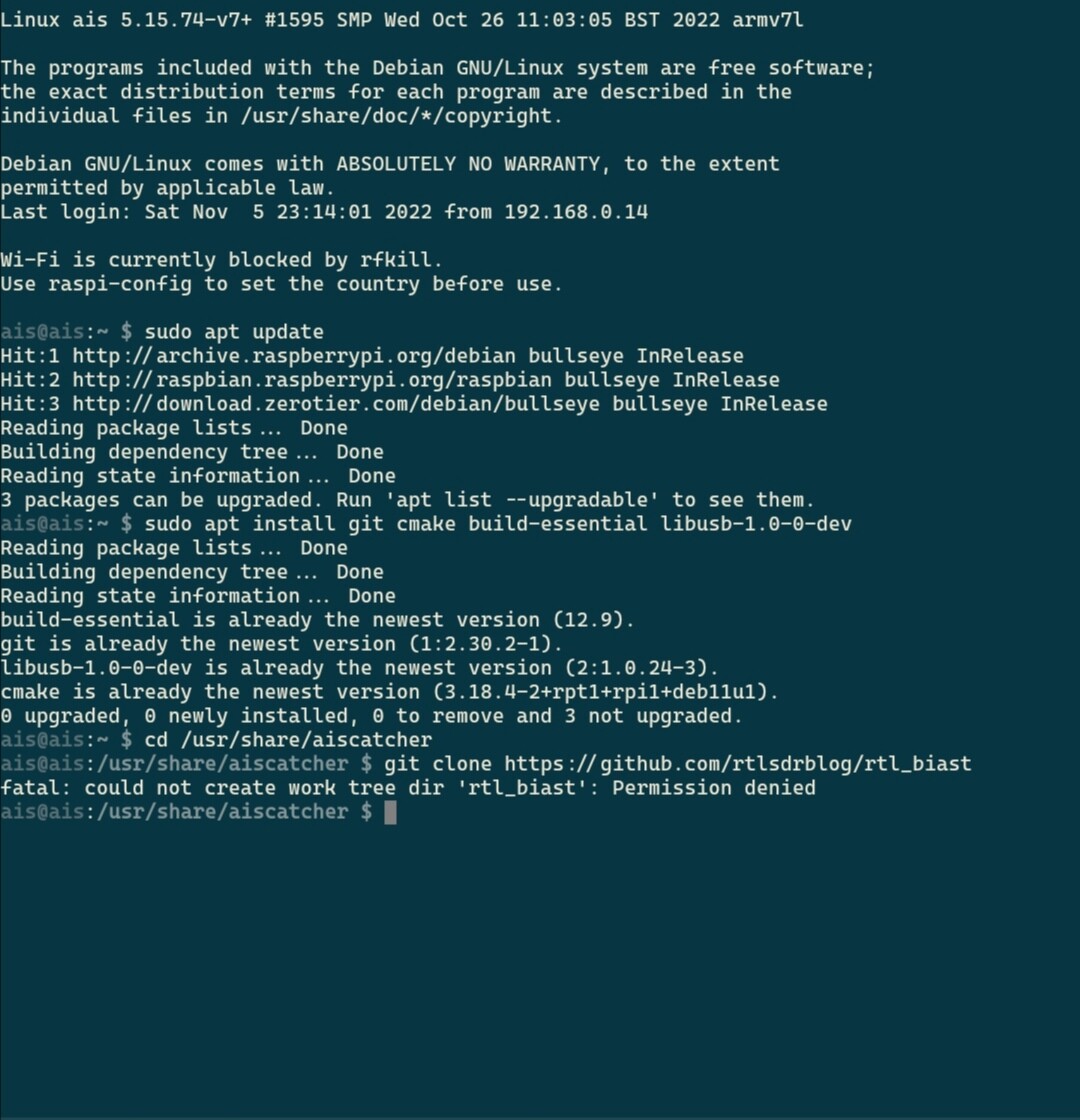
Those existing rtl_tcp and rtl_biast will NOT interfere or affect the rtl_biast you are going to build for AIS-catcher. No need to redo the card or make any changes to it.
The problem you faced was caused by my mistake. I forgot to put sudo at start of following command:
git clone https://github.com/rtlsdrblog/rtl_biast
I have now updated it (by adding sudo at its start). Use the updated command and it should work ok.
Thanks @abcd567 I did get a fatal error on the mkdir build so tried again with sudo infront as a guess, but get to the kernal and now get all these errors, assume I have messed something up with this now lol

The mistake was mine. When you clone source code from git in home folder, sudo is not reqired, but if you clone in any other folder, sudo is reqired with all commands.
I have cloned source code in folder /usr/share/aiscatcher, and in this case all commands must use sudo, but I forgot to add sudo. I have done it now.
You can simply delete the cloned source code folder by following command:
sudo rm -rf /usr/share/aiscatcher/rtl_biast
After deleting cloned folder by above command, repeat all commands my last post, item (2) Clone Source Code of Biast and Build It
Amongst other AIS sites I am using ShipXplorer
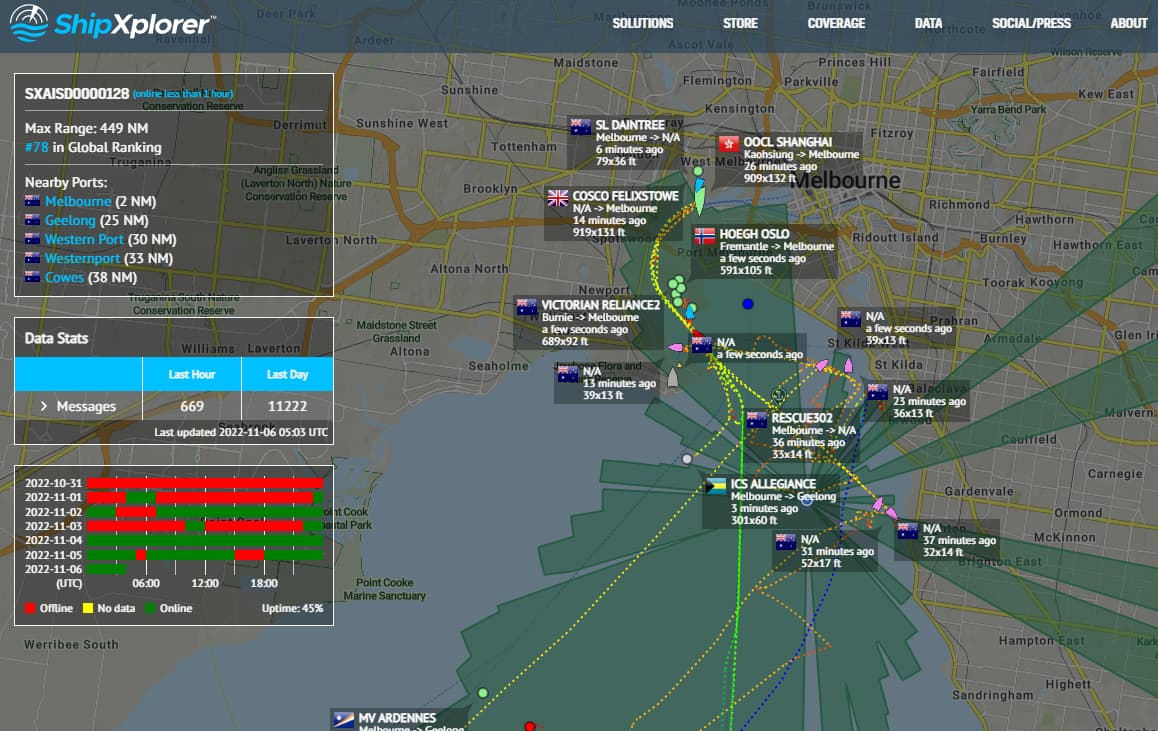
This is the port of Melbourne which is not very busy. There are some (pink) pleasure craft out and about.
I applied for a site number telling them I already had an AIS receiver and they sent me back a Site address and Port number which I duly put into the output of AIS-Catcher.
They sent me a URL to see the output which produces the picture above. So far so good but I can’t enter my location and it keeps moving about on the above map.
Anyone any idea how to set my location? Does it think I am on a vessel because I told them I had an AIS receiver and they expect me to be sending my own location (on my luxury yacht) from my GPS onboard?
There appear to have been the occasional enhanced propagation

My friendly enhanced propagation guru suggests it my be scatter due to ORIONIDS Meteor Shower or possible aircraft enhancement.
Here is an article by Roger Harrison published about aircraft enhancement on this very path
S.
Wow, they gave you a luxury yatch in return to your data feeding! 
This is RadarBox24’s ShipTracking site !!! (I say so because it’s map is almost identical to map of rbfeeder)
I just now obtained one 
https://www.shipxplorer.com/stations/SXAISD0000174

@abcd567 just followed the instructions again with sudo. But on reboot the BiasT never turned on, had to command ais Catcher restart to turn on
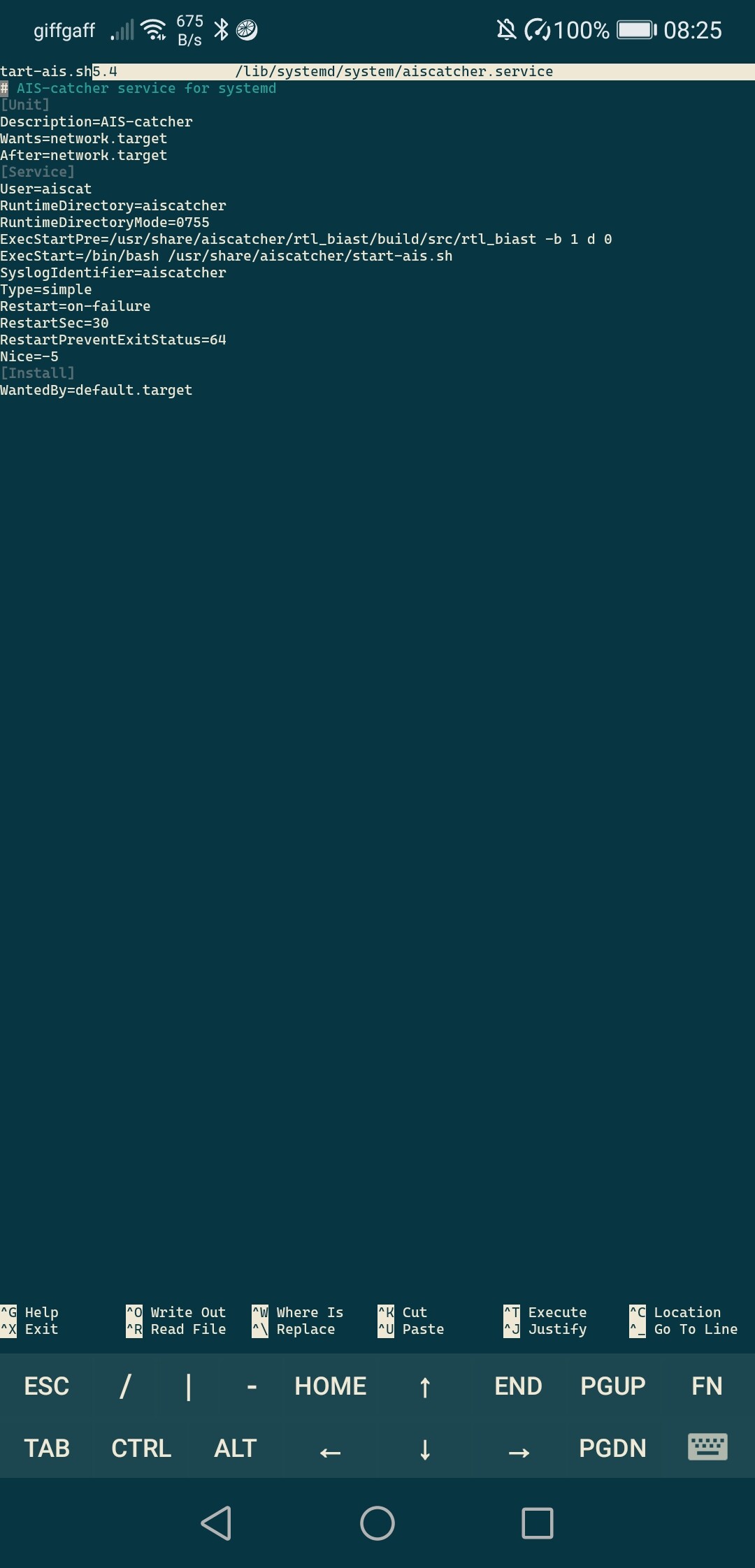

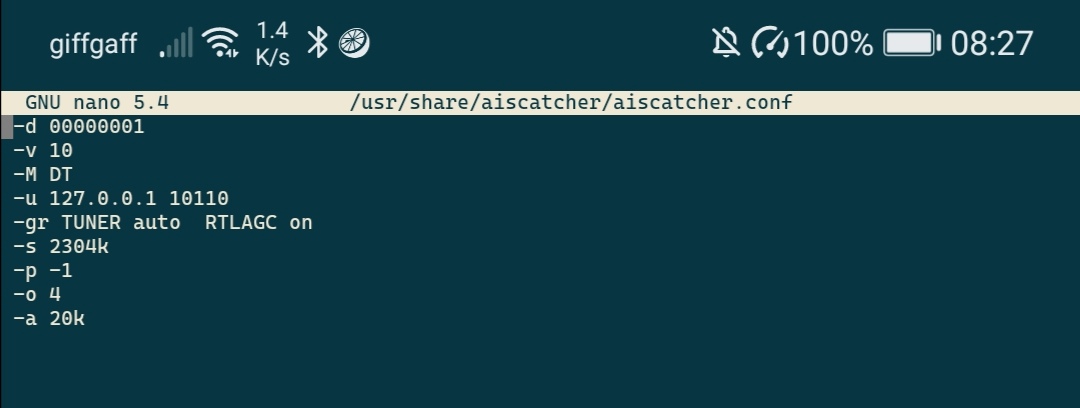
What is device number of AIS Dongle? It will be either 1 or 0. You can find it by following command
rtl_test -t

If you are using more than one dongle, run command rtl_test -t to determine device index of AIS Dongle (0, 1, 2,…). If the AIS dongle has index 1, then add d 1 at the end of ExecStartPre= command. The command will become:
ExecStartPre=/usr/share/aiscatcher/rtl_biast/build/src/rtl_biast -b 1 d 1

Please post output of following command:
cat /lib/systemd/system/aiscatcher.service

(1) Create new file start-biast.sh
sudo touch /usr/share/aiscatcher/start-biast.sh

sudo chmod +x /usr/share/aiscatcher/start-biast.sh

sudo nano /usr/share/aiscatcher/start-biast.sh
(2) Copy-paste following code in file start-biast.sh
#!/bin/sh
date >> /usr/share/aiscatcher/biast.log
/usr/share/aiscatcher/rtl_biast/build/src/rtl_biast -b 1 -d 0 >> /usr/share/aiscatcher/biast.log 2>&1
(3) Open file aiscatcher.service to edit
sudo nano /lib/systemd/system/aiscatcher.service
(4) Replace existing line ExecStartPre by following line:
ExecStartPre=/bin/bash /usr/share/aiscatcher/start-biast.sh
Save file

(5) Reboot Pi. Did BiasT start at reboot?
(6) Check BiasT log
$ cat /usr/share/aiscatcher/biast.log

Sun 06 Nov 2022 04:57:20 AM EST
Found 2 device(s):
  0:  Realtek, RTL2838UHIDIR, SN: 00000162
  1:  Realtek, RTL2838UHIDIR, SN: 00001090

Using device 0: Generic RTL2832U OEM
Detached kernel driver
Found Rafael Micro R820T tuner
Reattached kernel driver
Sun 06 Nov 2022 04:57:54 AM EST
Found 2 device(s):
  0:  Realtek, RTL2838UHIDIR, SN: 00000162
  1:  Realtek, RTL2838UHIDIR, SN: 00001090

Using device 0: Generic RTL2832U OEM
Found Rafael Micro R820T tuner
hi @abcd567 I tried the workaround you mentioned in the above post, but it still did notwork and was given the below error
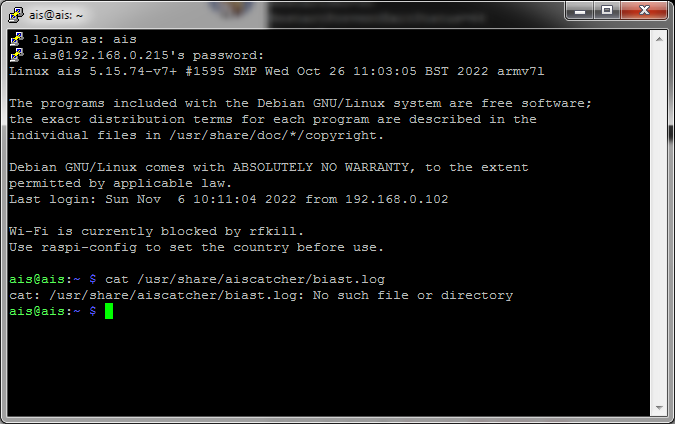
So I have just done a completley fresh SD card with Lite build and installed the auto bash file 1st then did the BaisT config & on a fresh build after adding the below and rebooting, the BaisT has come on after reboot 
So it must of been something I had previsoually installed that caused it.
$ sudo nano /lib/systemd/system/aiscatcher.service
Add following line ABOVE the line starting with ExecStart=
ExecStartPre=/usr/share/aiscatcher/rtl_biast/build/src/rtl_biast -b 1 d 0
1 Like
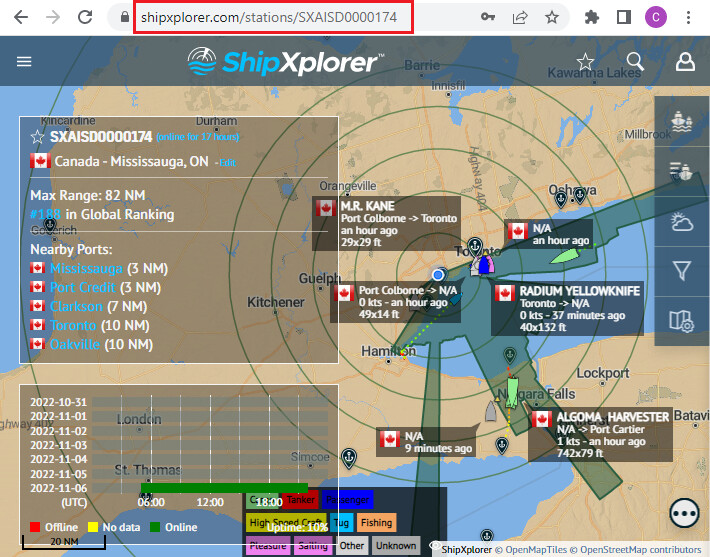
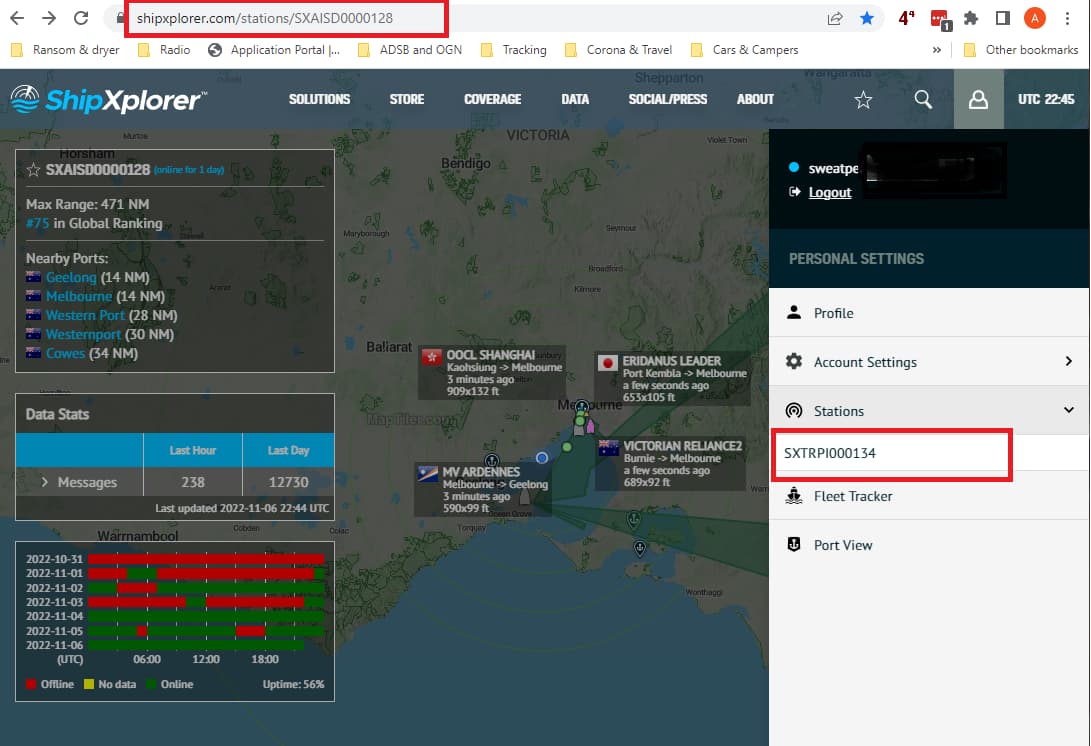
Note the Site Number in the URL does not match the Site Number in the Stations List when I log on.
I can’t find how to attach this site SXAISD0000128 to my account. Conversely, I can’t find the account for SXAISD0000128.
Any help appreciated.
S.
1 Like
This did NOT happen with me.
I did NOT go through “CLAIM RASPBERRY PI” path. I went the path " I want to share with AIS Dispatcher", as shown below. I was offerred to either login with an existing ShipXplorer account OR create a new account. As I did not have ShipXplorer account, I created an new account using email, and got the feeding URL, port number, station number, and link to my station’s map, by email


It seems you have TWO accounts with ShipXplorer, with two different email addresses.
On one you claimed your station as RPi feeder (SXT RPI 000134), and on other you claimed your station as AIS-Dispatcher feeder (SX AISD 00000128)
Login to ShipXplorer Map page using the same email on which you have received URL and port number which you are using in aiscatcher.conf
You would think so but no, they are both attached to the same email address.
I started off saying I had an AIS receiver and I received an email with as AIS Dispatcher Destination IP and an AIS Dispatcher Port. It also contained the Station Id SXAISD0000128 and the URL Station - AIS Coverage - ShipXplorer - Global Vessel Tracking Intelligence | Live Vessel Tracker and Port Status.
I plugged the Destination IP and Port number into AIS-Catcher and it all worked except it wasn’t attached to an account and I couldn’t set the location.
Every attempt to fix it from there (including trying to install their software on the Pi alongside the AIS-Catcher) has led to the creation of a new account and the rebuild of the SDcard.
I’ll leave it as it is and just run it unattributed.
We are off to sit on a beach in a few days so it is of no consequence now.
Thanks for trying to sort it.
S.