
PrtSc should do it; otherwise you might have KSnapshot under Graphics; if not, apt-get install ksnapshot.
1 Like
It is normal that it tries a whole bunch of versions, even some that have never existed. What is not OK is that it fails completely. Can you try I’m making a note to add all firmware I can find to the next iteration of the image.apt-cache search iwl and then apt-get install everything iwl that search has found?
Edit: Please ignore that. What you need to do is edit /etc/apt/sources.list, add " contrib non-free" without the quotes at the end of each uncommented line, then run apt-get update, apt-get install firmware-iwlwifi ksnapshot and apt-get upgrade for good measure.
To clarify for other detachable device users: The real reason was that I put too much faith in “normal” Windows keyboard layout, and pressed “Fn” + top-row multi-purpose key. It turns out that the BIOS now has a feature to allow Fkey to be activated without “Fn”, and this is set as default. I haven’t tried yet, but I assume that BIOS will respond to F keys. (One clue that prompted me to look further is the fact that Esc key on detachable keyboard worked. That, and the fact that touchpad also worked.)
I notice that my 1.44GHz 4-core Atom x5-Z8350 shows higher CPU temperature (50ºC) than my Pi 3A+ (42.9ºC), at the same load average (7%). Well, the fanless Windows device is enclosed in aluminum casing. (Other OS’ do not show temperature in UI so I didn’t know that Intel reports temperature.)
Curious: I see “bugs : cpu_meltdown spectre_v1 spectre_v2 mds msbds_only” with the Atom cores. This line is not in Raspbian cpuinfo. Does this mean that the x86_64 kernel contains patches for those bugs, and the Raspbian kernel doesn’t? (I vaguely remember at least one of spectre affect Pi 3A+.)
/proc/cpuinfo is highly architecture specific. It’s meaningless to compare x86 output with ARM ouput.
A cursory google finds DebianSecurity/SpectreMeltdown - Debian Wiki which indicates that Spectre on ARM32 is mitigated by kernels newer than 4.18.
1 Like
firmware-iwlwifi not found
Reading package lists... Done
Building dependency tree
Reading state information... Done
E: Unable to locate package firmware-iwlwifi
This is sources.list:
deb http://ftp.halifax.rwth-aachen.de/debian/ buster main
deb-src http://ftp.halifax.rwth-aachen.de/debian/ buster main
deb http://security.debian.org/debian-security buster/updates main
deb-src http://security.debian.org/debian-security buster/updates main
deb http://ftp.halifax.rwth-aachen.de/debian/ buster-updates main
deb-src http://ftp.halifax.rwth-aachen.de/debian/ buster-updates main
deb http://ftp.halifax.rwth-aachen.de/debian/ contrib non-free
deb-src http://ftp.halifax.rwth-aachen.de/debian/ contrib non-free
There was some error message from apt-get update
Hit:1 http://security.debian.org/debian-security buster/updates InRelease
Hit:2 http://ftp.halifax.rwth-aachen.de/debian buster InRelease
Get:3 http://ftp.halifax.rwth-aachen.de/debian buster-updates InRelease [51.9 kB]
Ign:4 http://ftp.halifax.rwth-aachen.de/debian contrib InRelease
Err:5 http://ftp.halifax.rwth-aachen.de/debian contrib Release
  404  Not Found [IP: 2a00:8a60:e012:a00::21 80]
Reading package lists... Done
E: The repository 'http://ftp.halifax.rwth-aachen.de/debian contrib Release' does not have a Release file.
N: Updating from such a repository can't be done securely, and is therefore disabled by default.
N: See apt-secure(8) manpage for repository creation and user configuration details.
You added contrib non-free in the last two lines, but this way you get the same repo twice and no contrib or non-free updates. You ought to have just added " contrib non-free" to the end of all pre-existing uncommented lines.
Anyway, I added this and a whole long catalogue of network and video drivers to the image yesterday, including iwlwifi, and uploaded the new version here. The new kernel modules have only been added to the 4.19.0-12 kernel (whose initrd now would terrify Godzilla by its sheer size). The 4.19.0-11 kernel is much leaner and can serve as a fallback if needed.
This thing still needs testing on different hardware to flesh out the inevitable errors and omissions, so please keep playing with it.
1 Like
I added to deb, and install succeeded. After reboot, the Intel controller is configured correctly. I unplugged the USB dongle this time. Will add back next time I reboot for curiosity
Such is one reason I feel that a generic hypervisor layer would lower barrier of entry/raise curiosity further. Haven’t got much time in my hand lately, but I hope to eventually build upon your process.
I’m split about it, I think both yes and no.
The thing is, this map. Where people speak good English and have access to good hardware, there’s hardly any need of additional coverage. Where there is a screaming need of coverage, “hypervisor” is already a high threshold in terms of hardware, but also in terms of technical knowledge and access to English-speaking forums for help and support.
Of course, what I just said includes a few self-contradictions. For one, if your English is bad or non-existent, you’re less likely to even begin testing, irrespective of the means. FA has addressed this by translating the main site to a whole bunch of important languages. Some non-English discussion boards are still lacking. For another, if you don’t have and can’t afford the hardware, there’s always a flightfeeder.
Putting all this together, I think that every “either-or” approach is wrong. ARM or x86, live-USB or hypervisor, debs or rpms, there is absolutely no reason to discard any option; all of them are useful and good, as long as someone has the time and patience to make them work. The big - and for the time being far away - goal, is to get the software included in some major distro.
1 Like
“Hypervisor” may be a scary word but my understanding is that OpenBox and VMware Workstation runs on any Windows-worthy hardware. (Over 10 years ago, I used to run VMW with now-ancient laptop.) OpenBox can even entice Mac users. I totally understand what you say about coverage, however. There is no straight-forward correlation between low barrier of entry and improved coverage. Lowering barrier of entry is more for knowledge propagation. Totally agree that there is no monolithic approach. That’s why I watch your project with interest. Any progress you make can help other methods of sharing. (Besides, I am really lazy when it comes to reading manuals  )
)
Dumb question: I don’t see how to manually set position in the Debian image. (FlightAware says the feeder disables autoupdate, or something to that effect.)
Quick feedback on the latest image. (Not all are new.)
- The WiFi driver is loaded correctly
- Something is preventing incoming connections to port 22, or any other port that I open with nc. (sshd is running.) However, ports 80 and 8080 can get incoming connections from outside. (I can also connect to data ports from outside.) I do not see any iptables rules blocking any port.
- Every time I reboot, I have to open this KDE Wallet to allow WiFi connection. (I feel “wallet” is a poor choice of word for this technology.) The "wallet"s password is still the default password; to change this password is quite involved. For me, I would prefer it to connect automatically in future reboots.
On wish list: on-screen keyboard. (Touch screen is working, but unlike Windows, I cannot use it with keyboard detached.) Another one is an option to turn screen off after some time but without putting system to sleep.
That’s strange. Can you try telnet fabian64-IP-address 22 and nmap -sT fabian64-IP-address from another machine on the same network? (For Windows you’ll have to get nmap here.) If both wired and wireless connections are enabled, disable one of them at a time while testing the other. Having two IP addresses on the same subnet can cause routing problems like packets coming in on one interface and replies to them going out the other.
Yes, it’s a security feature, but also one of the most annoying things in KDE. Follow these instructions to disable it. I’m of two minds on whether I should disable it on the image. I know how annoying it is, but then again I think it’s Very Bad Practice® to disable other people’s security for them.
Wish list: I have no touch screen to test, so I’ll have to rely on you to figure it out and let me know ;=) As for sleep, it’s in system settings, power management. There are different settings for AC power, battery and low battery; you should disable sleep completely on AC. This, however, might also prevent screen blanking. I’ll fool around with it in the next edition of the image.
You do that on the FA website. Claim first your receiver (you already have, this is for the benefit of the next person). Log in on FA, go to your stats page, click the arrow in the orange bar left of your first site and select the USB image site . Then follow this.
I suspect that’s a reference to software updates.
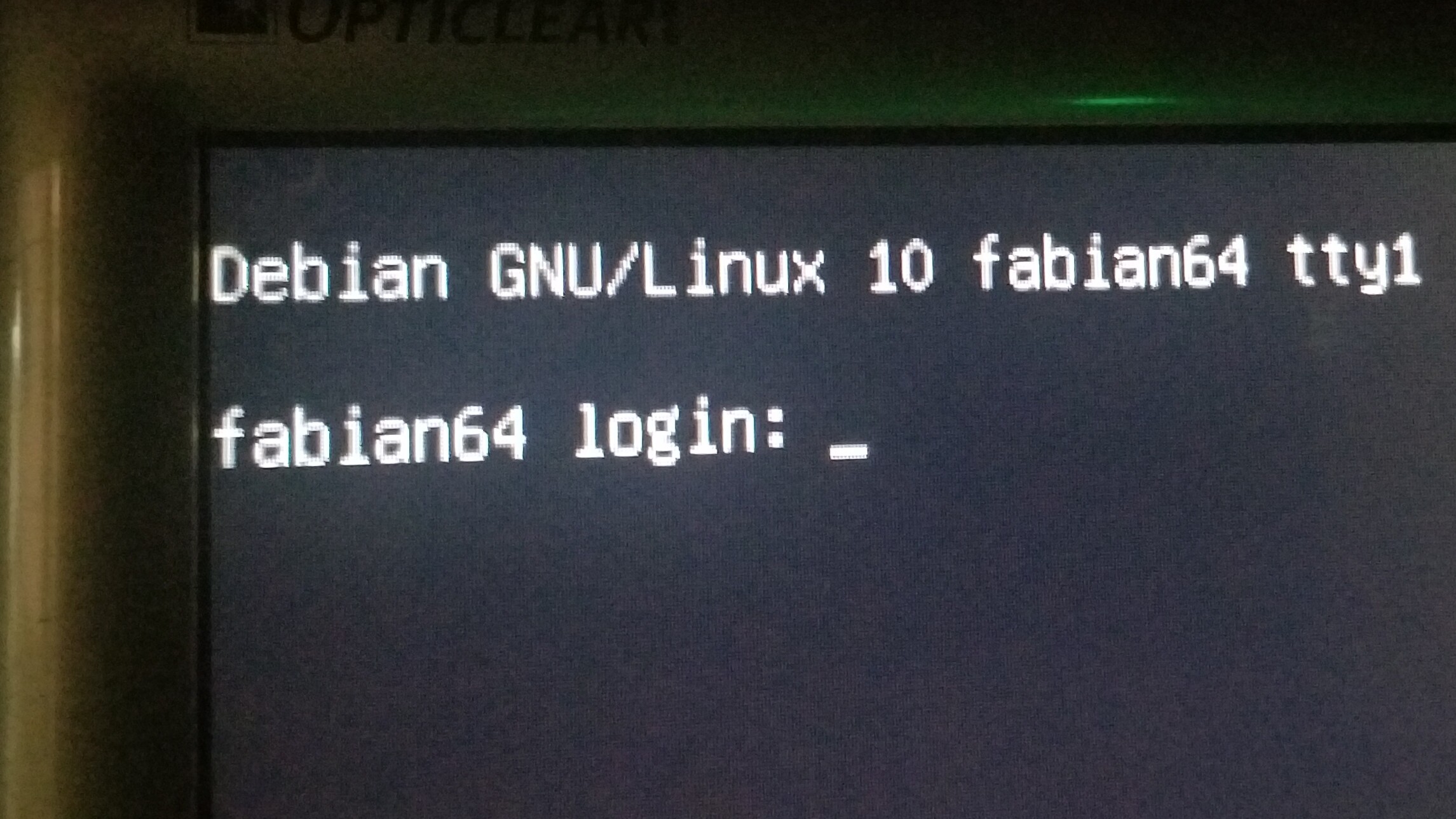
root:1090 and pi:1090; see release notes.
1 Like
Thanks.
I never bother to see any release notes (unless get stuck), and also don’t bother to read fine-prints in car insurance policy, cell phone service agreement etc 
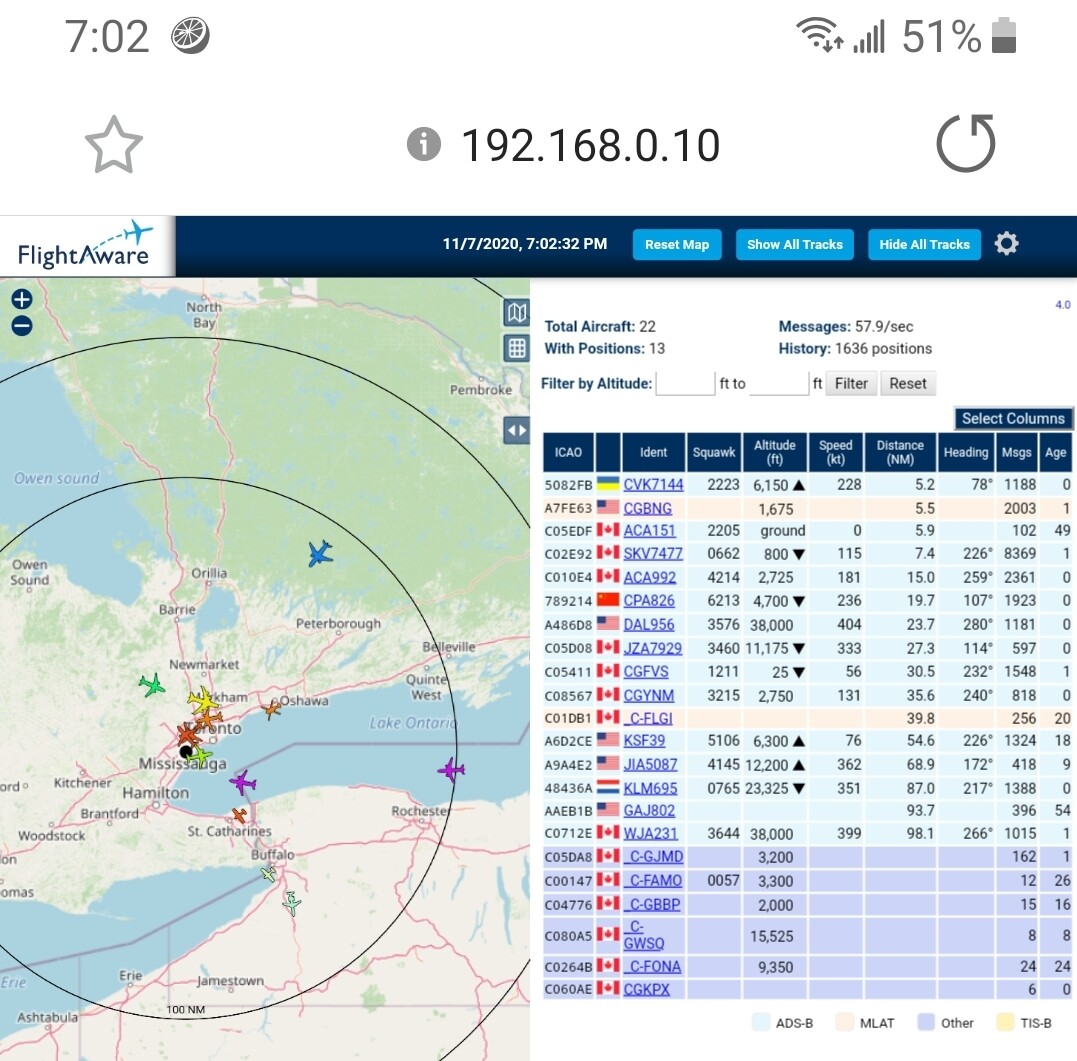
1- All times below in UTC (on map in local EDT, as it is from my phone)
2 - Perpetual responce:
sudo: unable to resolve host fabian64: Name or service not known
Working OK
Linux fabian64 4.19.0-12-amd64 #1 SMP Debian 4.19.152-1 (2020-10-18) x86_64

The programs included with the Debian GNU/Linux system are free software;
the exact distribution terms for each program are described in the
individual files in /usr/share/doc/*/copyright.

Debian GNU/Linux comes with ABSOLUTELY NO WARRANTY, to the extent
permitted by applicable law.
Last login: Sat Nov  7 22:50:26 2020
pi@fabian64:~$ sudo systemctl status dump1090-fa
sudo: unable to resolve host fabian64: Name or service not known
● dump1090-fa.service - dump1090 ADS-B receiver (FlightAware   Loaded: loaded (/lib/systemd/system/dump1090-fa.service;    Active: active (running) since Sat 2020-11-07 23:25:29 UT     Docs: https://flightaware.com/adsb/piaware/
 Main PID: 860 (dump1090-fa)
    Tasks: 3 (limit: 4915)
   Memory: 2.3M
   CGroup: /system.slice/dump1090-fa.service
           └─860 /usr/bin/dump1090-fa --device-index 0 --gai

Nov 07 23:25:29 fabian64 systemd[1]: Started dump1090 ADS-B
Nov 07 23:25:29 fabian64 dump1090-fa[860]: Sat Nov  7 23:25:Nov 07 23:25:29 fabian64 dump1090-fa[860]: rtlsdr: using dev
Nov 07 23:25:29 fabian64 dump1090-fa[860]: Found Rafael Micr
Nov 07 23:25:29 fabian64 dump1090-fa[860]: rtlsdr: enabling
Nov 07 23:25:30 fabian64 dump1090-fa[860]: Allocating 4 zero
pi@fabian64:~$ sudo systemctl status piaware
sudo: unable to resolve host fabian64: Name or service not known
● piaware.service - FlightAware ADS-B uploader
   Loaded: loaded (/lib/systemd/system/piaware.service; enab   Active: active (running) since Sat 2020-11-07 22:50:21 UT     Docs: https://flightaware.com/adsb/piaware/
 Main PID: 704 (piaware)
    Tasks: 3 (limit: 4915)
   Memory: 15.8M
   CGroup: /system.slice/piaware.service
           ├─704 /usr/bin/piaware -p /run/piaware/piaware.pi           └─869 /usr/lib/piaware/helpers/faup1090 --net-bo-

Nov 07 23:25:29 fabian64 piaware[704]: will reconnect to dum
Nov 07 23:25:59 fabian64 sudo[867]:  piaware : unable to res
Nov 07 23:25:59 fabian64 sudo[867]:  piaware : problem with
Nov 07 23:25:59 fabian64 sudo[867]:  piaware : TTY=unknown ;
Nov 07 23:25:59 fabian64 sudo[867]: pam_unix(sudo:session):
Nov 07 23:25:59 fabian64 sudo[867]: pam_unix(sudo:session):
Nov 07 23:25:59 fabian64 piaware[704]: ADS-B data program 'd
Nov 07 23:25:59 fabian64 piaware[704]: Starting faup1090: /u
Nov 07 23:25:59 fabian64 piaware[704]: Started faup1090 (pid
Nov 07 23:28:19 fabian64 piaware[704]: 271 msgs recv'd from
pi@fabian64:~$ groups
pi cdrom floppy audio dip video plugdev netdev bluetooth lpadmin scanner
pi@fabian64:~$ su root
Password:

root@fabian64:/home/pi# sudo adduser pi sudo
sudo: unable to resolve host fabian64: Name or service not known
Adding user `pi' to group `sudo' ...
Adding user pi to group sudo
Done.

root@fabian64:/home/pi# su pi

pi@fabian64:~$ groups pi
pi : pi cdrom floppy sudo audio dip video plugdev netdev bluetooth lpadmin scanner
Me, neither  Although it is in this post in response to you. Anyway, thank you both for pushing wide distro support.
Now to more nuances.
I jumped to the conclusion about port not accepting connection. It turns out that the port is listening; sshd just drops connection, unlike in the previous image.
$ ssh fabian64
Connection reset by 10.0.0.209 port 22
$ nc fabian64 22
SSH-2.0-OpenSSH_7.9p1 Debian-10+deb10u2
(Similarly, my trouble with nc listener is caused by a different syntax of nc used on the Debian image from the one on Raspbian (and RedHat/CentOS that I am more familiar with). Once I adjust syntax, I can connect from outside.) After other troubleshooting steps, I decided to reinstall sshd/openssh-server. That solved the problem! The image may have a corrupt sshd, but I didn’t examine daemon.log back then. Now the log got rotated into a binary file and I don’t know how to open it. (Without ssh, I have resorted to reverse shell as the detachable device isn’t a workhorse.)
I agree. In fact, if the user’s password and the "wallet"s match, WiFi starts automatically. Trouble is with password update for the wallet is buried deep in the user interface. Similarly, macOS’ keychain password update is also deeply buried, although macOS doesn’t require a password match to start basic functions such as WiFi. Use of keychain password is very limited. Most functionalities only requires user password.
Yes, this is always a user experience setting. I just haven’t touched Linux desktops for ages. (Two boot modes or an easy switch to terminal mode may be a good idea.)
Yes. It took a good half hour for the location to take effect on piaware, so I thought the message was telling me why it didn’t take effect.
An additional problem with live boot is that file system get corrupt rather frequently. In the past 3 days I had to re-image twice, ran fsck if kernel happened to survive, etc. This may or may not be related to live image itself, but I thought it is worth recording.
Try sudo systemctl restart avahi-daemon. O maybe this is from outside of babian64. In this case, flush DNS cache according to your OS.
I didn’t need to do this