
There are two ways to have mlat-client
-
System-wide installation (detailed below), where all application needing mlat-client can use this single installation. Example is mlat-client installation by Radarbox24
-
Under virtual environment (VENV), in which case it is not available system-wide, and is accessed by the app installing it. Examples are fa-mlat-client installed with piaware, and mlat-client installed when installing Adsbexchange, Adsbfi, Adsblol, and many others.
I am giving below the System-wide installation method only, as I feel this is what you are looking for.
You have to built it from mlat-client’s source-code on the amd64 machine on which you want to install it. It is very easy and simple. Issue following commands to build & install it
## To BUILD
sudo apt install build-essential devscripts debhelper dh-python python3-dev

git clone https://github.com/mutability/mlat-client

cd mlat-client

sudo dpkg-buildpackage -b --no-sign

## TO INSTALL
cd ../
sudo dpkg -i mlat-client_0.2.13_amd64.deb
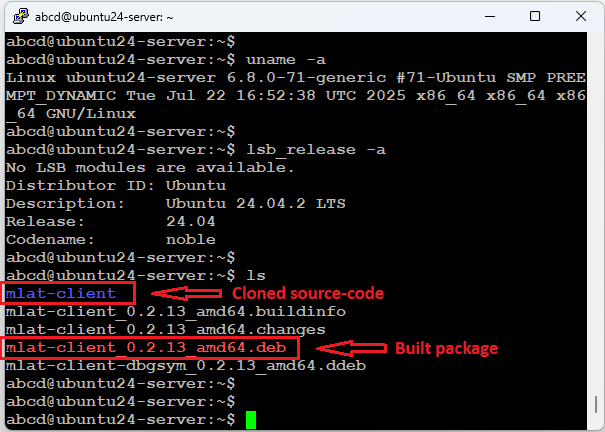
LATER ADDITION:
Just in case you want to know how to build & install mlat-client amd64 (or any other architecture) under virtual-environment (VENV), please see following thread:
How To Install mlat-client in Virtual Environment